

Craft portfolios that convert visitors into opportunities by showcasing work and creating memorable experiences for developers, designers, and creatives.
Premium skill
Interactive 3D Product Showcase Builder
Images of Interactive 3D Product Showcase Builder
-
Featured image The one image that represents the skill in the gallery and in a social share. -
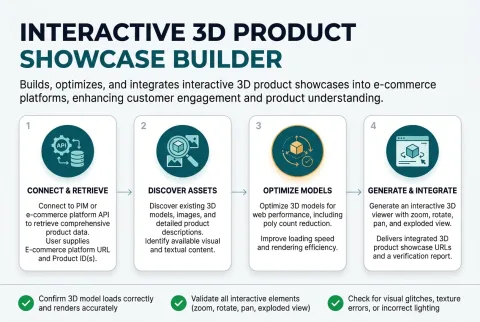
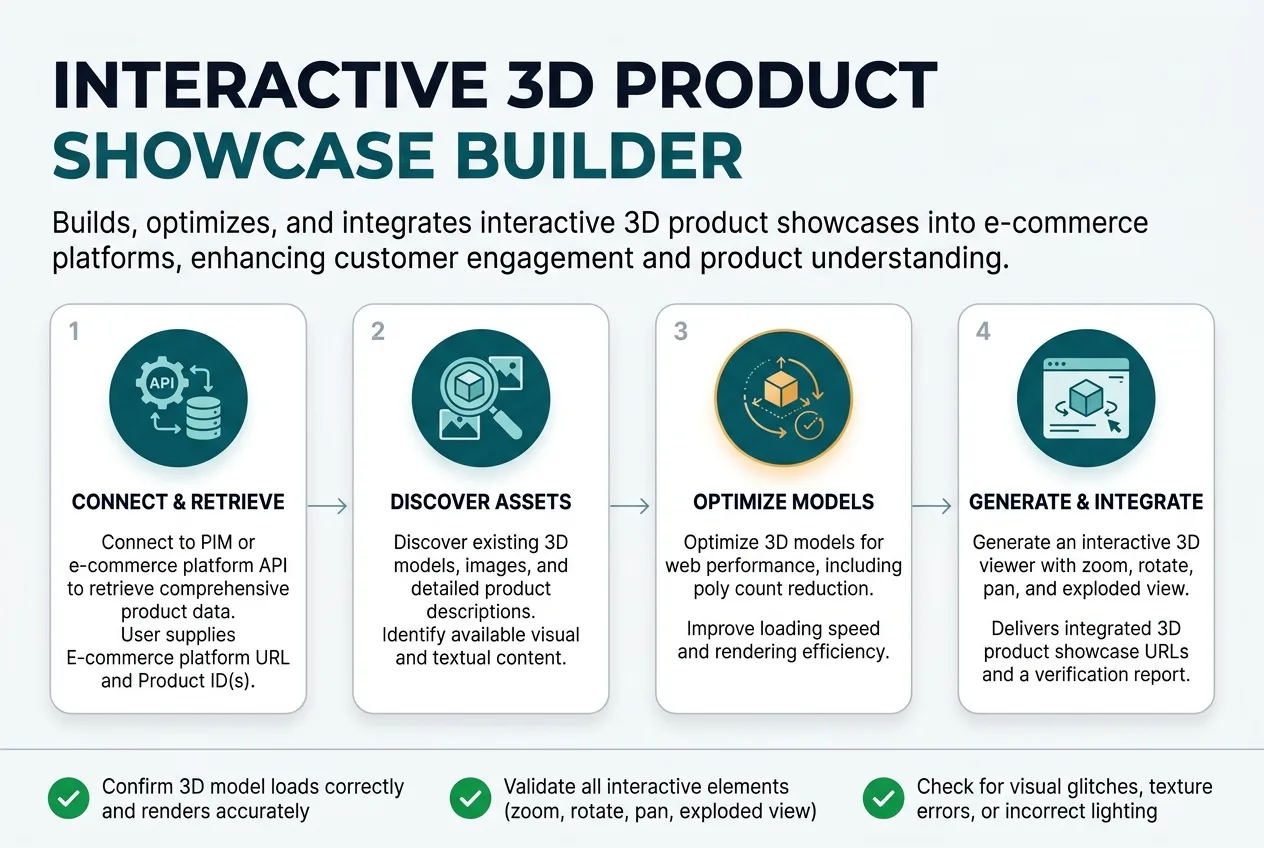
How it works Shows the path from what the user supplies to what they get back. -
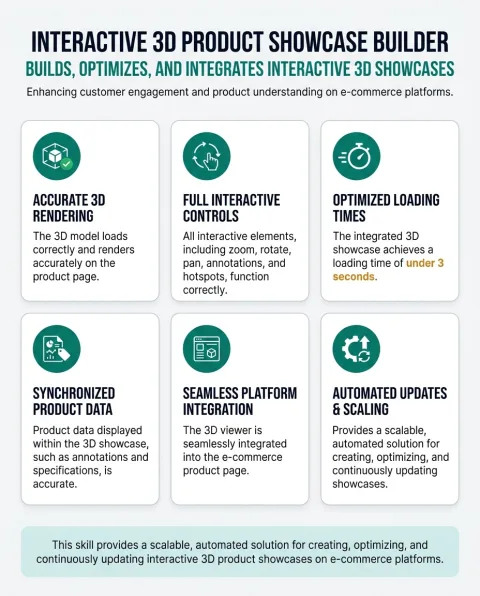
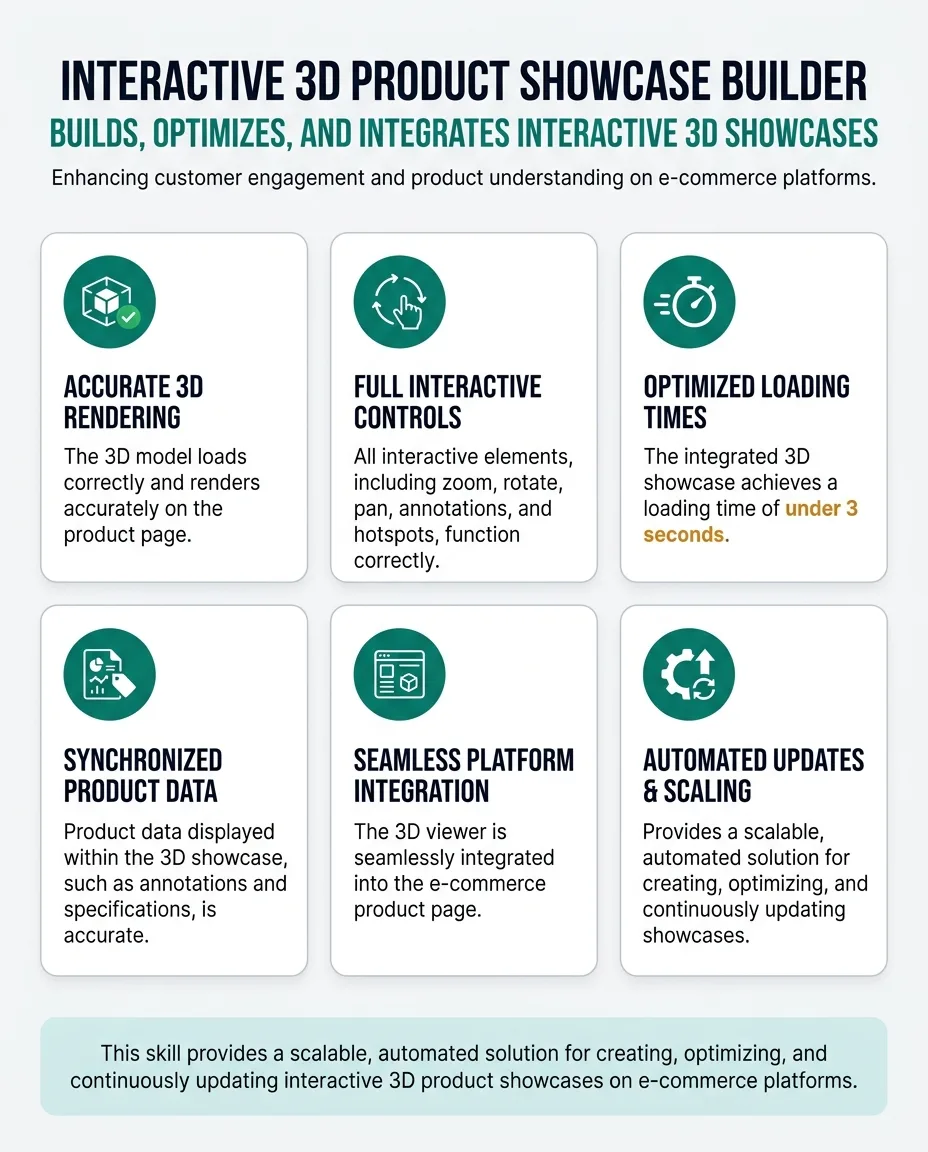
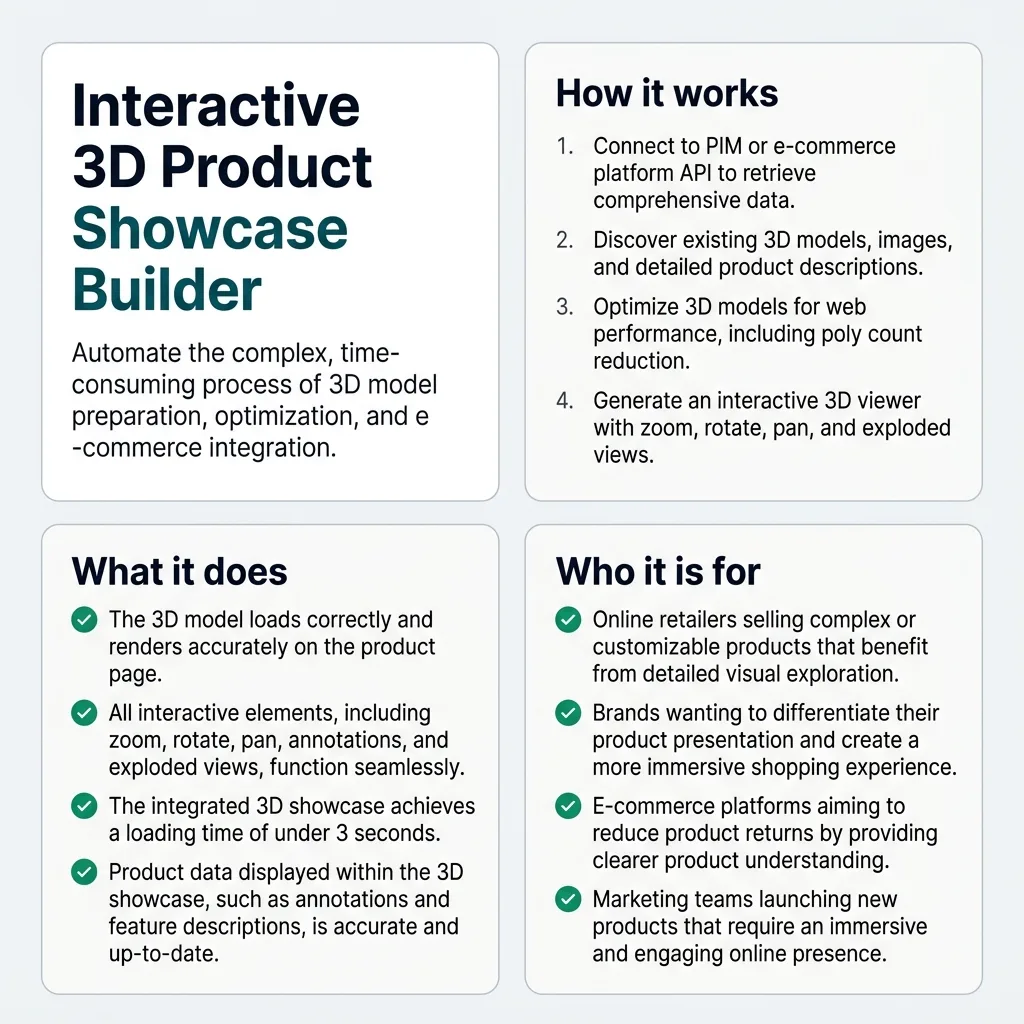
What it does The capability grid, for a reader scanning rather than reading. -
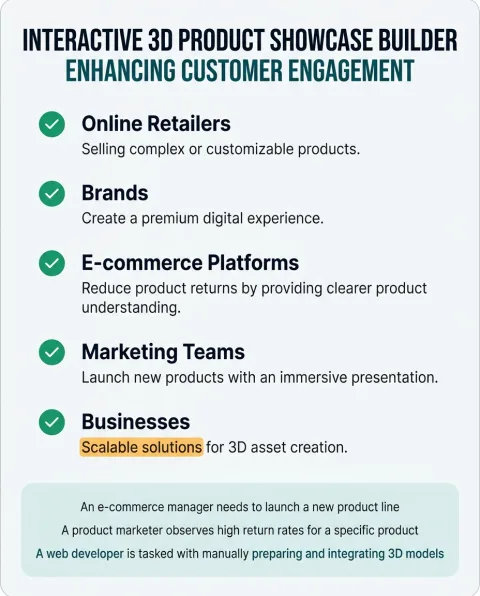
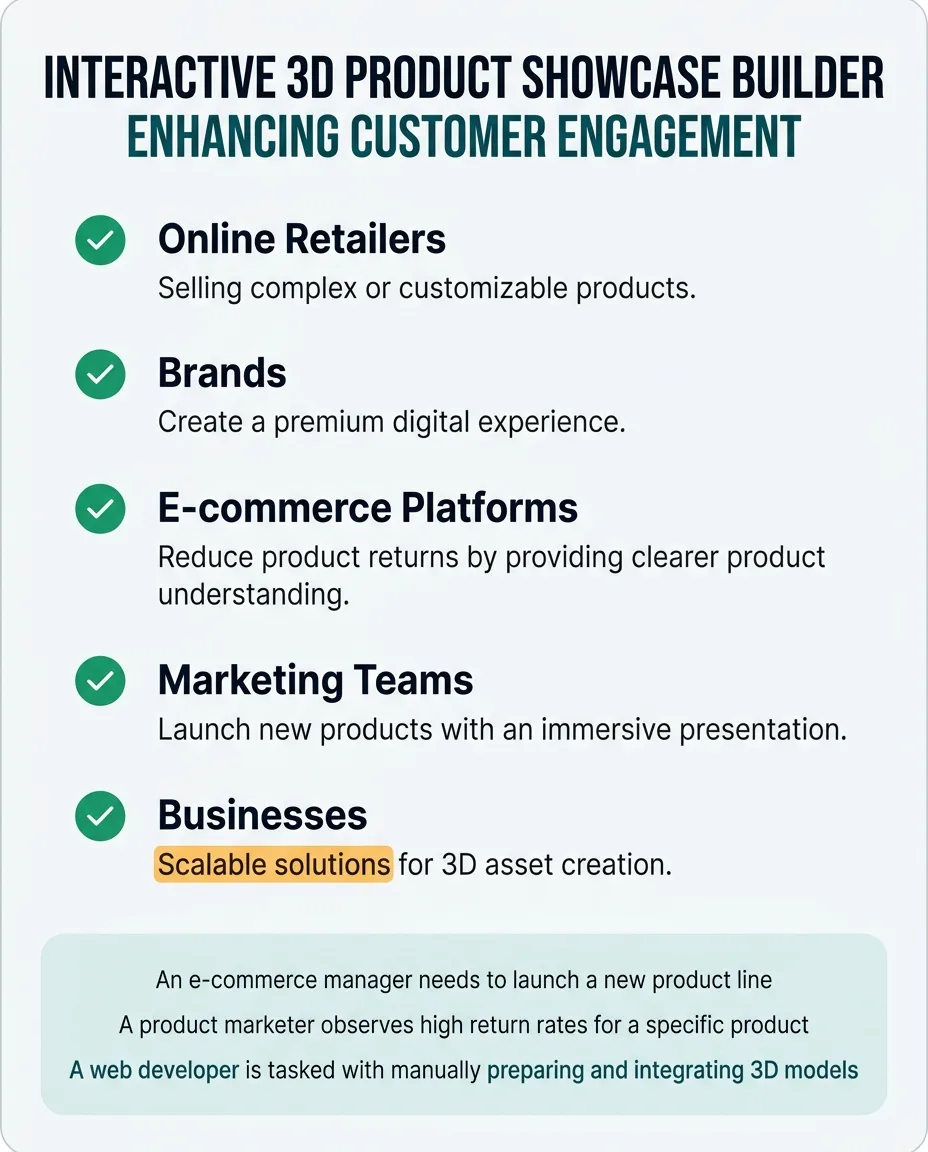
Who it is for Lets a reader recognise themselves, which is what decides whether they keep reading. -
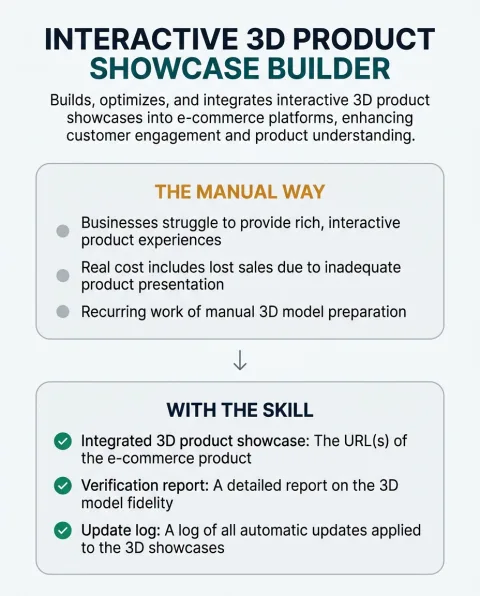
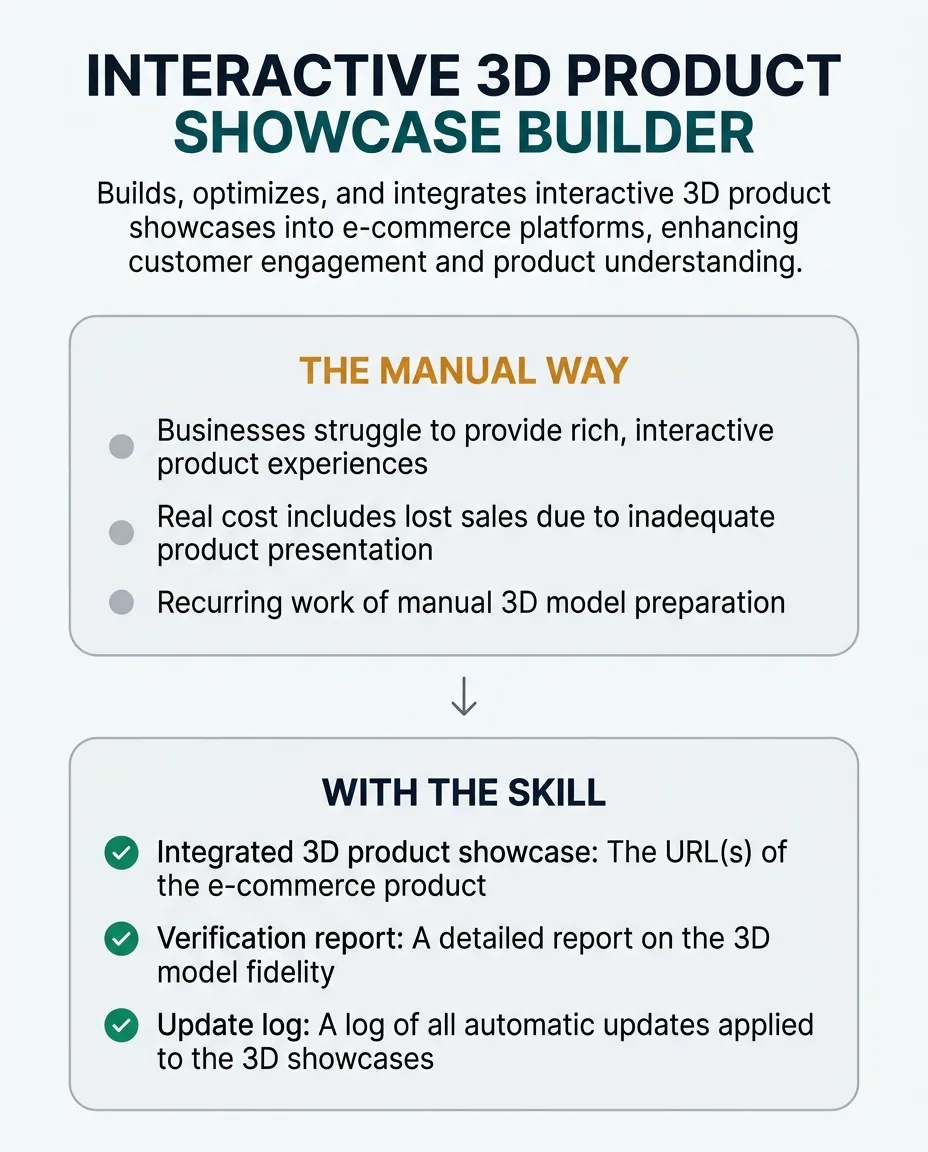
The change it makes Contrasts the manual way with the skill, without claiming a measured result. -
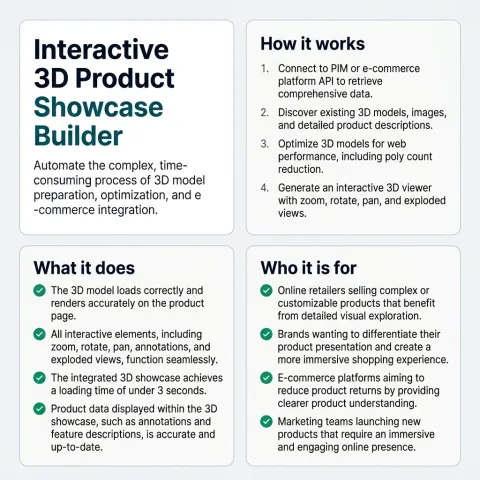
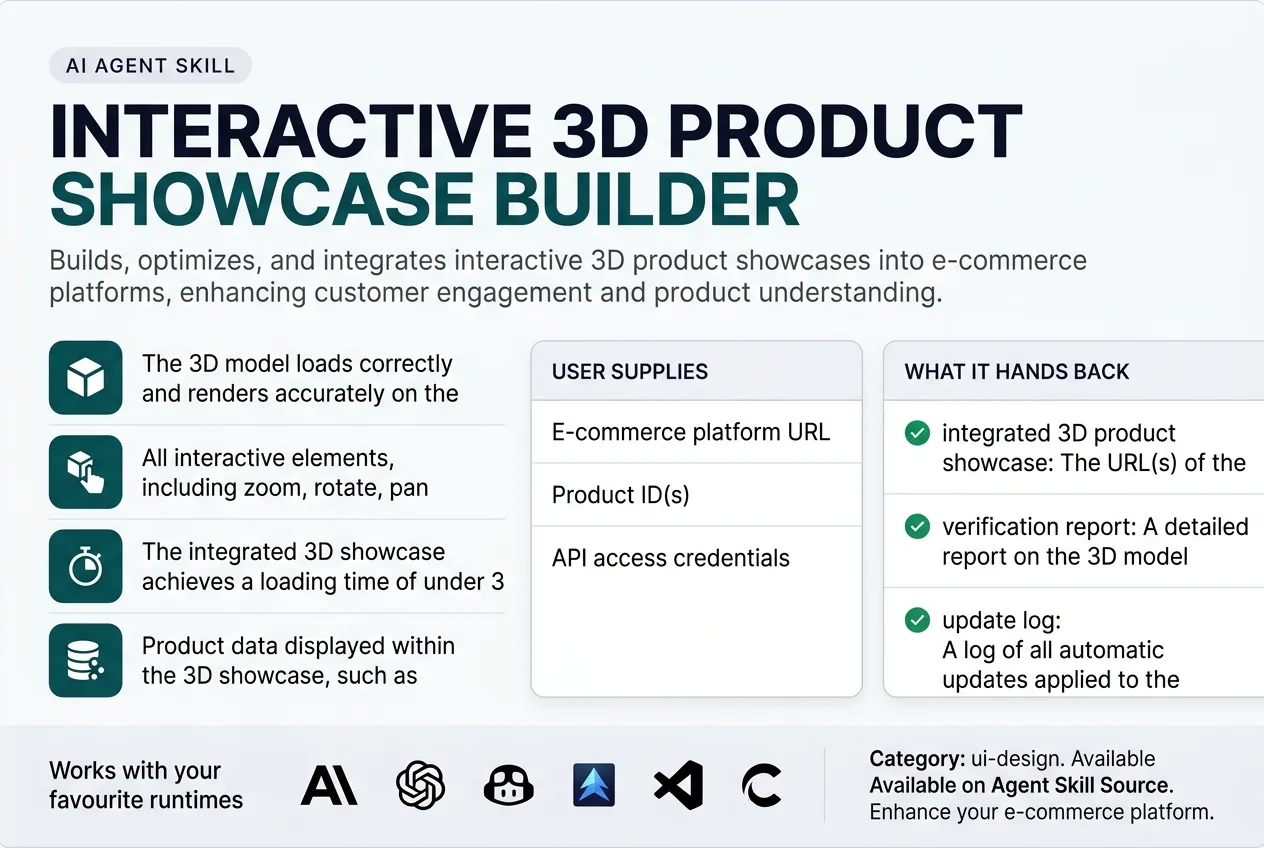
Summary sheet One square image that carries the whole story, for a social share or a card.
This skill automatically discovers product data, existing images, and 3D models from product information management (PIM) systems or e-commerce platforms. It produces an optimized, interactive 3D product viewer with dynamic annotations, animations, and configuration options. The skill verifies model accuracy, texture quality, and interactivity across various devices and browsers. It keeps the showcase current by detecting changes in product data or models and automatically updating the integrated viewer. This skill never invents unverified details, explicitly marking any unconfirmable product attributes.
What It Does
This skill automatically discovers product data, existing images, and 3D models from product information management (PIM) systems or e-commerce platforms. It produces an optimized, interactive 3D product viewer with dynamic annotations, animations, and configuration options. The skill verifies model accuracy, texture quality, and interactivity across various devices and browsers. It keeps the showcase current by detecting changes in product data or models and automatically updating the integrated viewer. This skill never invents unverified details, explicitly marking any unconfirmable product attributes.
The Problem It Removes
E-commerce businesses struggle to provide rich, interactive product experiences that go beyond static images, often leading to lower customer engagement, higher product return rates, and reduced conversion rates. Manually creating, optimizing, and integrating 3D models for web display is a complex, time-consuming process that requires specialized 3D artists and web developers.
The real cost includes lost sales due to inadequate product visualization, increased operational expenses from managing returns, and a competitive disadvantage against brands offering more immersive experiences. This recurring pain diverts resources from core business activities.
This skill removes the recurring work of manual 3D model preparation, optimization, and e-commerce integration. It automates the entire workflow, from data discovery to deployment and continuous updates, significantly reducing the effort and cost associated with delivering high-quality, interactive product showcases.
Who It Is For
E-commerce managers, product marketers, web developers, and digital merchandisers in retail and manufacturing companies.
Especially valuable when:
- Online retailers selling complex or customizable products that benefit from detailed visualization.
- Brands wanting to differentiate their product presentation and create a premium online shopping experience.
- E-commerce platforms aiming to reduce product returns by providing clearer product understanding.
- Marketing teams launching new products that require an immersive and interactive visual introduction.
- Businesses with extensive product catalogs needing scalable solutions for 3D content creation and management.
- Companies looking to improve conversion rates through enhanced product visualization and engagement.
- Manufacturers showcasing intricate product details and functionalities to B2B or B2C clients.
Why This Price
This skill removes the recurring, complex, and time-consuming work of manual 3D model preparation, optimization, and e-commerce integration. Businesses often spend hundreds or thousands of dollars on specialized 3D artists and web developers for these tasks, which are then repeated for every product update or new launch.
The value compounds significantly over time by automating the entire workflow, from data discovery to deployment and continuous updates. This ensures product information and visualizations are always current and accurate, directly contributing to reduced product returns, increased customer engagement, and improved conversion rates. The cost of inadequate product visualization, including lost sales and operational expenses from returns, far outweighs the price of this automation.
Buyers pay for the automation of a specialized, multi-step process that would otherwise require expert human intervention. They gain a scalable solution for delivering high-quality, interactive product experiences, freeing up internal resources and providing a competitive advantage in the market. This skill is an investment in operational efficiency and enhanced customer experience.
One payment, yours permanently. Download it again at any time and get later versions free.
How It Differs From Similar Skills
3d-web-experience focuses on general 3D web experiences and components, not specifically on comprehensive product showcases integrated with e-commerce systems. While shopify-automation assists with Shopify tasks, it does not automate the end-to-end creation and maintenance of interactive 3D product visualizations within such platforms.
This skill performs the operational job of creating and maintaining interactive 3D product showcases for e-commerce, ensuring they are optimized, integrated, and continuously updated with product data.
When To Use
- An e-commerce manager needs to launch a new product line featuring complex, customizable items that static images cannot adequately convey.
- A product marketer observes high return rates for a specific product category and suspects inadequate product visualization is a contributing factor.
- A web developer is tasked with manually preparing and integrating 3D models for an e-commerce site, finding the process time-consuming and prone to errors.
- A digital merchandiser wants to differentiate their brand's online shopping experience by offering immersive product views that competitors lack.
- A business with an extensive product catalog seeks a scalable solution to automate the creation and continuous updating of interactive 3D content.
Inputs
e-commerce platform URL: The base URL of the e-commerce platform where the product showcase will be integrated.
product ID(s): A unique identifier or list of identifiers for the product(s) to be showcased.
API access credentials: Authentication details (e.g., API key, token, username/password) for accessing the e-commerce platform or PIM system.
Outputs
integrated 3D product showcase: The URL(s) of the e-commerce product page(s) with the successfully integrated and verified interactive 3D showcase.
verification report: A detailed report on the 3D model fidelity, performance metrics, interactivity checks, and data accuracy, including any unresolved issues.
update log: A log of all automatic updates applied to the 3D showcases due to changes in product data or models.
How It Works From Start To Finish
- Connect to PIM or e-commerce platform API to retrieve comprehensive product data.
- Discover existing 3D models, images, and detailed product descriptions.
- Optimize 3D models for web performance, including poly count reduction, texture compression, and file size management.
- Generate an interactive 3D viewer with zoom, rotate, pan, and exploded view functionalities.
- Add dynamic annotations, hotspots, and configurable options based on product attributes.
- Integrate the optimized 3D viewer seamlessly into the specified e-commerce product page template.
- Verify 3D model fidelity, texture mapping, and all interactive features for accuracy.
- Run performance checks to ensure smooth loading times and fluid interaction across devices.
- Test cross-browser and device compatibility to guarantee a consistent user experience.
- Publish the updated product page with the integrated 3D showcase.
- Monitor the PIM or e-commerce platform for product data or model changes.
- Automatically update showcases upon detected changes to maintain accuracy and freshness.
What you supply
- E-commerce platform URL
- Product ID(s)
- API access credentials
What it finds out on its own
- Product name, description, and specifications
- Existing product images, videos, and 3D models (e.g., GLB, FBX)
- Material properties and texture maps
- Configurable options and variations (e.g., color, size, components)
- Pricing and inventory status
- E-commerce platform structure and product page templates
Step By Step
-
Connect to Platform API
Use provided credentials to establish an API connection with the specified PIM or e-commerce platform.
Done when: A successful API connection is established, and initial authentication tokens are acquired.
If it cannot finish: Report API connection failure with specific error codes and suggest checking credentials or network access.
-
Discover Product Assets
Query the connected API to retrieve product name, description, specifications, existing 3D models (GLB, FBX), images, material properties, and configurable options for the given Product ID(s).
Done when: All available product data, including 3D model URLs and associated metadata, are successfully retrieved and parsed.
If it cannot finish: Report missing product data or inaccessible asset URLs, and proceed with available data, marking missing elements as unresolved.
-
Optimize 3D Models
Process retrieved 3D models to reduce poly count, compress textures, and manage file sizes for web performance, while visually comparing against original fidelity.
Done when: Optimized 3D models are generated, and a visual fidelity check confirms key details and material properties are preserved within acceptable deviation thresholds.
If it cannot finish: Report specific optimization failures (e.g., malformed model, excessive detail loss) and revert to displaying existing 2D images or a fallback message.
-
Generate Interactive Viewer
Create an interactive 3D viewer incorporating the optimized models, dynamic annotations, hotspots, and configurable options based on discovered product attributes, explicitly marking unverified details.
Done when: A functional 3D viewer is generated, with all specified interactive features and annotations, and all configured states are cross-referenced with PIM data.
If it cannot finish: Report specific generation errors (e.g., attribute mapping failure) and highlight unmapped attributes without inventing defaults.
-
Integrate Viewer into Platform
Use the e-commerce platform API to integrate the generated 3D viewer into the specified product page template, ensuring it does not disrupt existing functionalities.
Done when: The 3D viewer is successfully embedded into the product page, and automated regression tests confirm all key e-commerce functionalities remain operational.
If it cannot finish: Report specific API integration errors and keep the previous product page version intact.
-
Verify Showcase Performance
Run performance checks on the integrated showcase, measuring loading times and frame rates across a representative set of devices and browsers.
Done when: Loading times are under 3 seconds and frame rates maintain at least 30 FPS on tested devices, and all interactive elements function as intended.
If it cannot finish: Report performance bottlenecks or functional issues, providing specific metrics and suggesting areas for further optimization or manual review.
-
Publish Updated Product Page
Commit and publish the changes to the e-commerce platform, making the 3D product showcase live.
Done when: The product page with the integrated 3D showcase is publicly accessible and renders correctly.
If it cannot finish: Revert to the previous product page version and report publishing errors, providing a clear recovery path.
-
Monitor for Changes
Set up a continuous monitoring mechanism to detect updates to product data, descriptions, or 3D models in the PIM or e-commerce platform.
Done when: A monitoring schedule is established, and the system is actively checking for changes at predefined intervals.
If it cannot finish: Report monitoring setup failure and advise manual checks for updates.
How It Checks Its Own Work
Checks before it delivers
- Confirm 3D model loads correctly and renders accurately without visual distortions or missing elements.
- Validate all interactive elements (zoom, rotate, pan, annotations, configurations) function as intended.
- Check for visual glitches, texture errors, or incorrect material rendering.
- Measure loading times and frame rates to ensure a smooth and responsive user experience.
- Verify seamless integration with the e-commerce platform and correct display on product pages.
- Ensure responsiveness across various screen sizes and input methods (mouse, touch).
If something goes wrong
- If 3D model optimization fails due to malformed input, it reports the specific issue and reverts to displaying existing 2D images or a fallback message.
- If integration with the e-commerce platform API fails, it reports the specific API error and keeps the previous product page version intact, preventing data corruption.
- If a product attribute cannot be mapped to a 3D configuration, it highlights the unmapped attribute without inventing a default, allowing for manual intervention.
Mistakes It Prevents
| The mistake | What it costs | How the skill prevents it |
|---|---|---|
| Over-optimizing 3D models by aggressively reducing poly count or texture resolution without proper visual fidelity checks. | The product showcase appears visually degraded, losing critical details, making the product look cheap or inaccurate, and eroding customer trust. | Visually compare the optimized 3D model against the original high-fidelity source model or CAD file, ensuring key details and material properties are preserved within acceptable deviation thresholds. |
| Incorrectly mapping product attributes from the PIM system to configurable options or dynamic annotations within the 3D viewer. | Customers see wrong colors, materials, or components, or receive inaccurate information, leading to confusion, dissatisfaction, and increased product returns. | Automate cross-referencing of all configured 3D model states and annotation content with the corresponding PIM data, flagging any discrepancies for manual review and correction. |
| Deploying a 3D showcase that performs poorly, with slow loading times or choppy interactions, on common target devices or browsers. | Users become frustrated, abandon the product page, and bounce rates increase, negating the benefits of interactive visualization and potentially harming SEO. | Benchmark loading times and frame rates on a representative set of devices (desktop, tablet, mobile) and browsers, ensuring they consistently meet predefined performance thresholds (e.g., load in under 3 seconds, maintain >30 FPS). |
| Failing to detect and automatically apply updates to product data or 3D models from the PIM system, leaving outdated showcases live. | Customers view incorrect product information or outdated models, leading to misinformed purchasing decisions, increased customer support inquiries, and a damaged brand reputation. | Implement a robust change detection mechanism that monitors the PIM or e-commerce platform API for updates to product data or 3D assets, triggering an automated re-optimization and re-integration workflow upon detection. |
| Integrating the 3D viewer in a way that breaks existing critical e-commerce page functionalities, such as 'Add to Cart' buttons or variant selectors. | The product page becomes partially or completely unusable for transactions, directly leading to lost sales and a negative user experience. | Perform automated regression tests on all key e-commerce page functionalities after 3D viewer integration, verifying that existing elements remain fully operational and responsive. |
| Generating annotations or descriptions for the 3D showcase based on unverified or inferred product details. | The showcase presents speculative or incorrect information as fact, misleading customers and undermining the credibility of the product and brand. | Explicitly mark any product attributes or details that cannot be directly confirmed from the PIM system or provided 3D model metadata as 'unverified' or 'unconfirmed', preventing the invention of facts. |
Edge Cases It Handles
- Over-optimizing 3D models by aggressively reducing poly count or texture resolution without proper visual fidelity checks.
- Visually compare the optimized 3D model against the original high-fidelity source model or CAD file, ensuring key details and material properties are preserved within acceptable deviation thresholds.
- Incorrectly mapping product attributes from the PIM system to configurable options or dynamic annotations within the 3D viewer.
- Automate cross-referencing of all configured 3D model states and annotation content with the corresponding PIM data, flagging any discrepancies for manual review and correction.
- Deploying a 3D showcase that performs poorly, with slow loading times or choppy interactions, on common target devices or browsers.
- Benchmark loading times and frame rates on a representative set of devices (desktop, tablet, mobile) and browsers, ensuring they consistently meet predefined performance thresholds (e.g., load in under 3 seconds, maintain >30 FPS).
- Failing to detect and automatically apply updates to product data or 3D models from the PIM system, leaving outdated showcases live.
- Implement a robust change detection mechanism that monitors the PIM or e-commerce platform API for updates to product data or 3D assets, triggering an automated re-optimization and re-integration workflow upon detection.
- Integrating the 3D viewer in a way that breaks existing critical e-commerce page functionalities, such as 'Add to Cart' buttons or variant selectors.
- Perform automated regression tests on all key e-commerce page functionalities after 3D viewer integration, verifying that existing elements remain fully operational and responsive.
- Generating annotations or descriptions for the 3D showcase based on unverified or inferred product details.
- Explicitly mark any product attributes or details that cannot be directly confirmed from the PIM system or provided 3D model metadata as 'unverified' or 'unconfirmed', preventing the invention of facts.
A Worked Example
An e-commerce manager at "TechGadget Co." wants to launch a new customizable drone, "AeroFly X100", on their Shopify store. They have a GLB model, product specifications in their PIM, and existing 2D images. They need an interactive 3D showcase that allows customers to view different color options and an exploded view of components.
Input
{"e-commerce platform URL": "https://www.techgadgetco.com", "product ID(s)": "DRONE-AFX100", "API access credentials": "{\"shopifyApiKey\": \"shpat_abc123def456\", \"pimAuthToken\": \"token_xyz789\"}"}Expected output
{"integrated 3D product showcase": ["https://www.techgadgetco.com/products/aerofly-x100"], "verification report": "{\"productID\": \"DRONE-AFX100\", \"status\": \"success\", \"modelFidelity\": \"98%\", \"loadingTime\": \"2.1s\", \"frameRate\": \"58fps\", \"interactiveElements\": {\"zoom\": \"ok\", \"rotate\": \"ok\", \"pan\": \"ok\", \"colorConfig\": \"ok\", \"explodedView\": \"ok\"}, \"dataAccuracy\": \"100% match with PIM\", \"unresolvedIssues\": []}", "update log": "No updates detected since initial deployment."}Why this output: The skill successfully connected to both Shopify and the PIM, retrieved the GLB model and product data for DRONE-AFX100. It optimized the model for web, created an interactive viewer with color configuration and an exploded view based on PIM data, and integrated it into the Shopify product page. All verification checks passed, confirming visual fidelity, performance, and functionality. The output provides the live product page URL and a detailed report of the successful deployment and verification.
Keeping It Current And Knowing Its Limits
Keeping it current
Monitors the connected PIM or e-commerce platform for updates to product data, descriptions, or 3D models. It automatically re-optimizes and re-integrates the showcase upon detecting changes, ensuring product information and visualizations are always current and accurate.
What it will not do
- Will not create 3D models from scratch if only 2D images are provided; it requires existing 3D models or detailed CAD files.
- Cannot guarantee specific sales increases, as these are influenced by broader marketing, pricing, and product quality factors.
- Requires necessary API access credentials and permissions to e-commerce platforms and PIM systems.
- Never invents unverified details; any product information that cannot be confirmed from reliable sources is explicitly marked as unresolved.
Limitations
Installation
Copy to ~/.claude/skills/Configure in API settingsAdd to Copilot workspace settingsAdd to .cursor/skills/Add to .vscode/skills/Add to Cline skills directoryConfigure in .aider.conf.ymlAdd to Windsurf skillsAdd to ~/.gemini/skills/Register as MCP toolBefore You Run It
Security notes
- This skill requires API access credentials to your e-commerce platform and PIM system, which grant it significant control over product data and website content.
- It will modify product pages by embedding custom JavaScript and HTML for the 3D viewer. While automated regression tests are performed, users should review changes before final publication.
- The skill handles 3D models and product data, which could contain sensitive product information. Ensure your API access is scoped appropriately.
Questions People Ask
Does this skill create 3D models if I only have 2D images?
No, this skill requires existing 3D models (like GLB or FBX files) or detailed CAD files as input. It does not generate 3D models from scratch using only 2D images. If only 2D images are available, it will report this and suggest a fallback.
What e-commerce platforms does this skill support?
This skill is designed to integrate with any e-commerce platform that provides a well-documented API for product data and allows embedding custom JavaScript and HTML into product page templates. Examples include Shopify, Magento, and custom platforms.
How does the skill ensure the 3D showcase remains accurate and up-to-date?
The skill implements a continuous monitoring mechanism that checks your PIM or e-commerce platform for updates to product data or 3D models. Upon detecting changes, it automatically re-optimizes and re-integrates the showcase, ensuring your visualizations are always current.
What happens if the 3D model optimization process degrades visual quality too much?
The skill includes a visual fidelity check that compares the optimized 3D model against the original. It ensures key details and material properties are preserved within acceptable thresholds. If significant degradation occurs, it reports the issue and can revert to displaying existing 2D images.
What people say, and where to get help
No ratings yet. If you have used this skill, yours would be the first.
Sign in to leave a rating
An account keeps your review with your name on it, and lets you edit it later. Sign in or create one free.
No reviews yet
This skill has not been rated. If you have run it, a short note about what you used it for helps the next person more than any description can.
Related Skills You May Like
Discover more AI agent skills in the same category to enhance your workflow automation.
Builds immersive scroll-driven experiences like parallax storytelling and scroll animations for engaging web experiences.
Premium skill
$120.00 , one time purchase
Generate, optimize, and deploy professional 3D business websites automatically, ensuring visual consistency, performance, and continuous updates.
Premium skill
$49.99 , one time purchase
You get a robust, verified system of AI-specific UX metrics, enabling data-driven optimization and understanding of user interaction with AI features.
Display HTML content on connected OpenClaw nodes (Mac, iOS, Android) for games, visualizations, dashboards, and interactive demos.
Create distinctive, production-grade frontend interfaces with intentional aesthetics, high craft, and a non-generic visual identity.
Have a Skill to Share?
Join the community and help AI agents learn new capabilities. Submit your skill and reach thousands of developers.