

Craft portfolios that convert visitors into opportunities by showcasing work and creating memorable experiences for developers, designers, and creatives.
Premium skill
Automated 3D Business Website Generation
Images of Automated 3D Business Website Generation
-
Featured image The one image that represents the skill in the gallery and in a social share. -
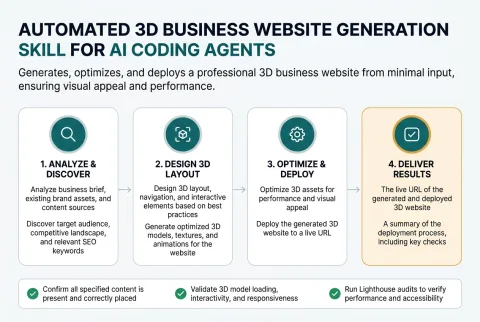
How it works Shows the path from what the user supplies to what they get back. -
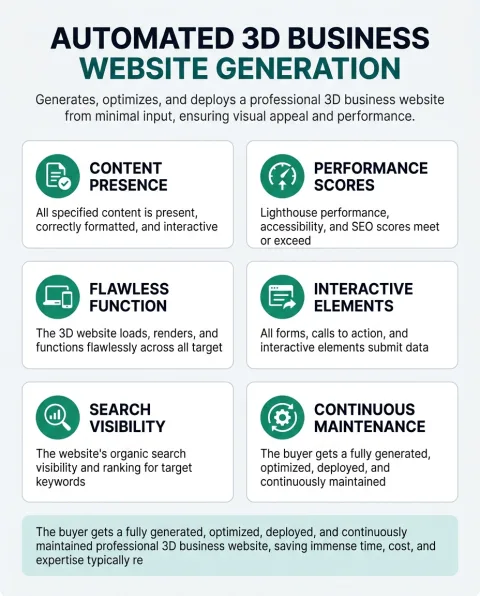
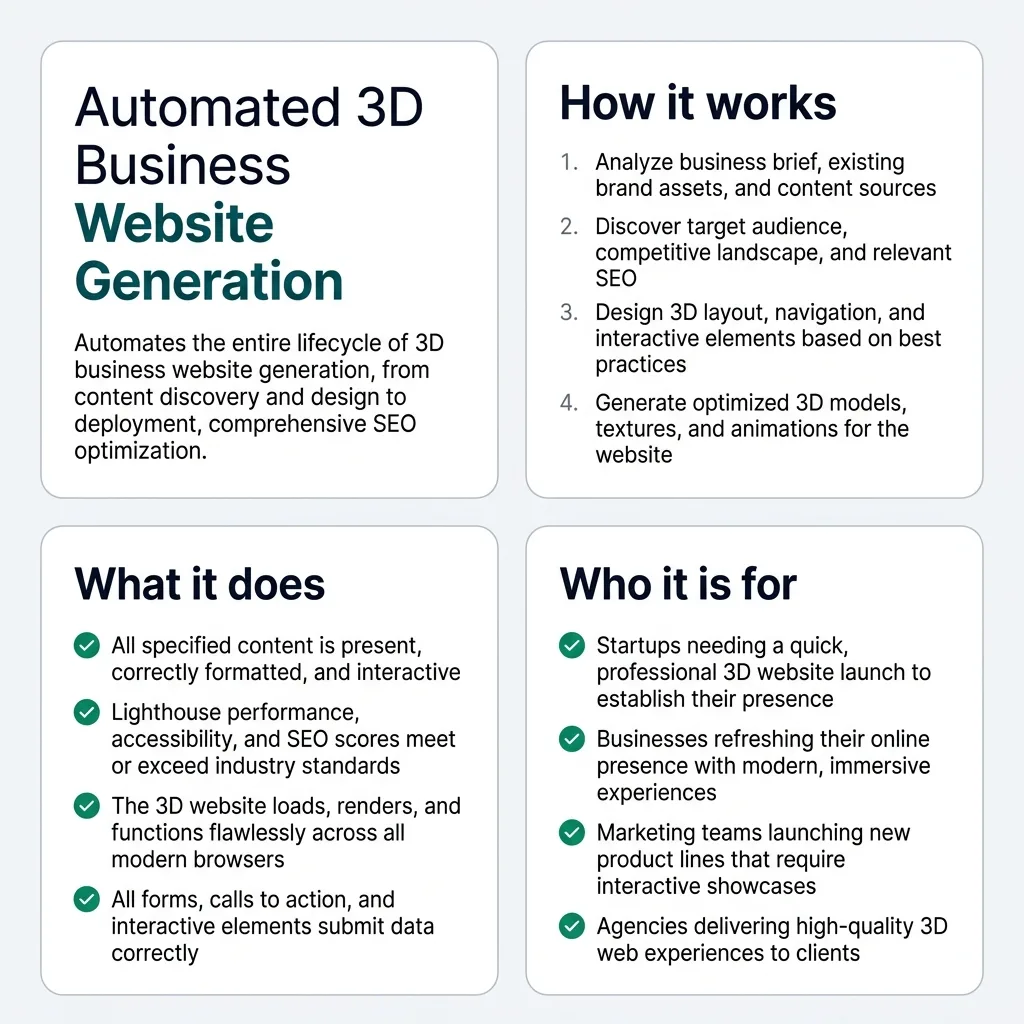
What it does The capability grid, for a reader scanning rather than reading. -
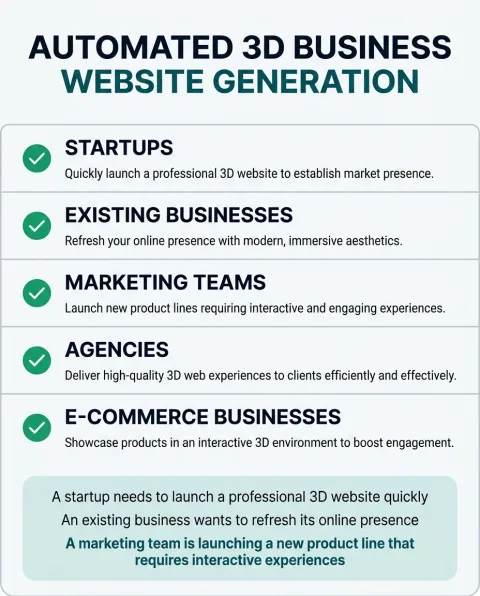
Who it is for Lets a reader recognise themselves, which is what decides whether they keep reading. -
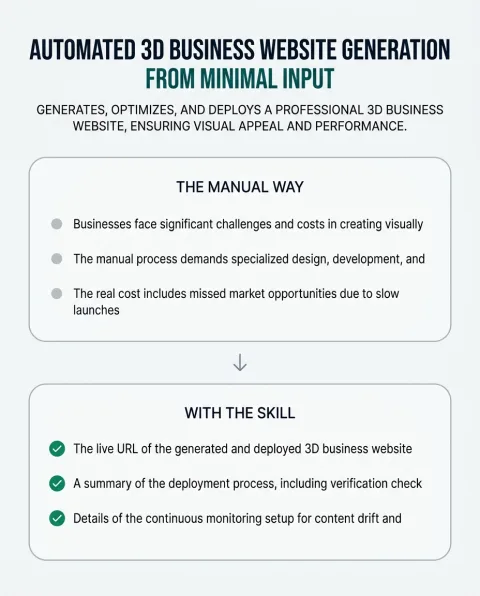
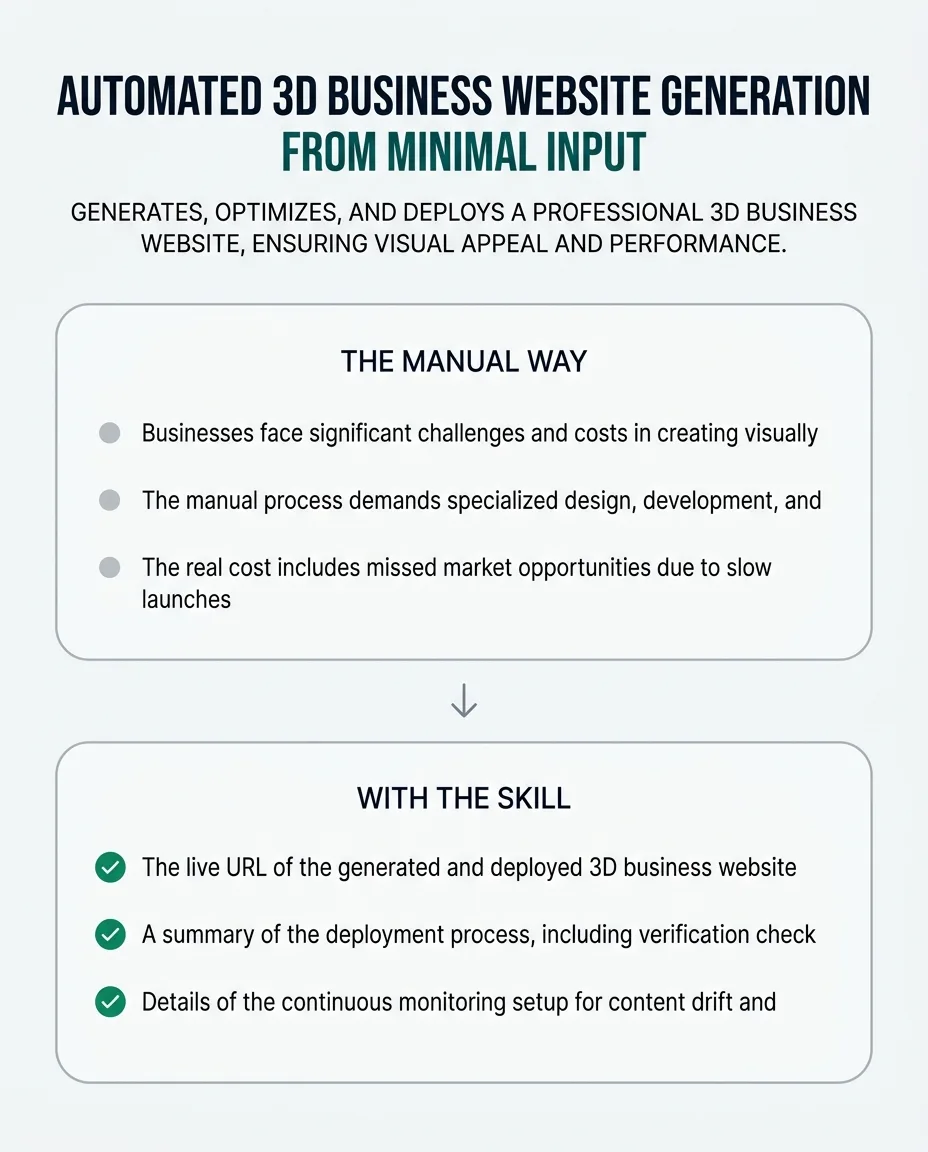
The change it makes Contrasts the manual way with the skill, without claiming a measured result. -
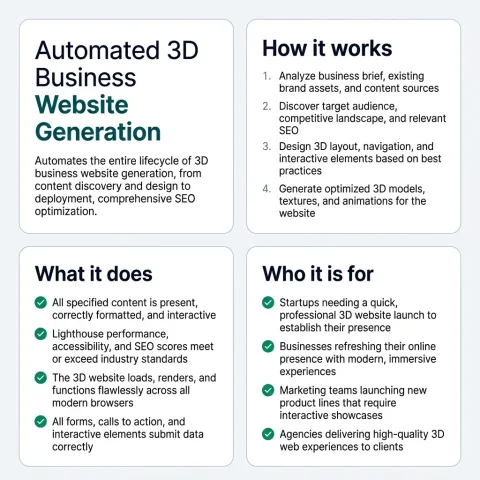
Summary sheet One square image that carries the whole story, for a social share or a card.
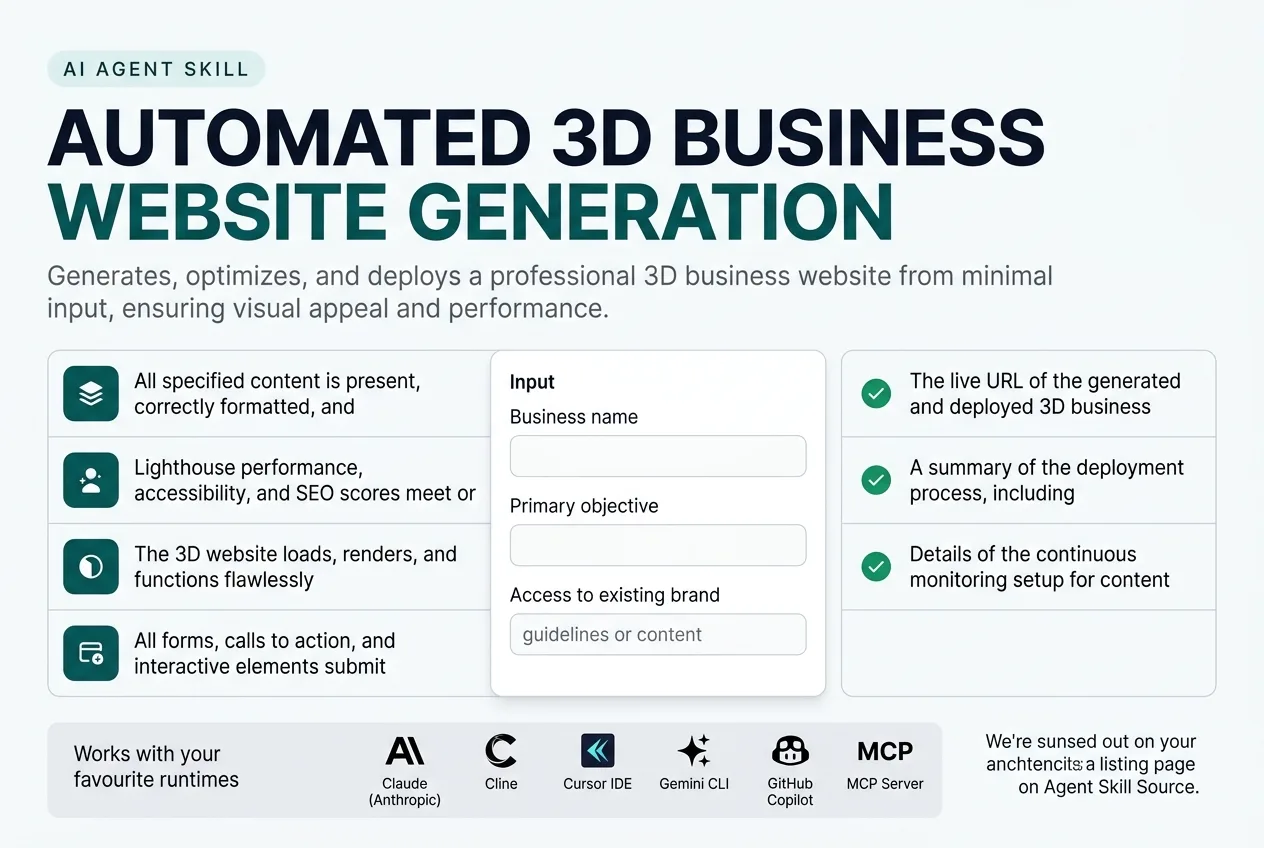
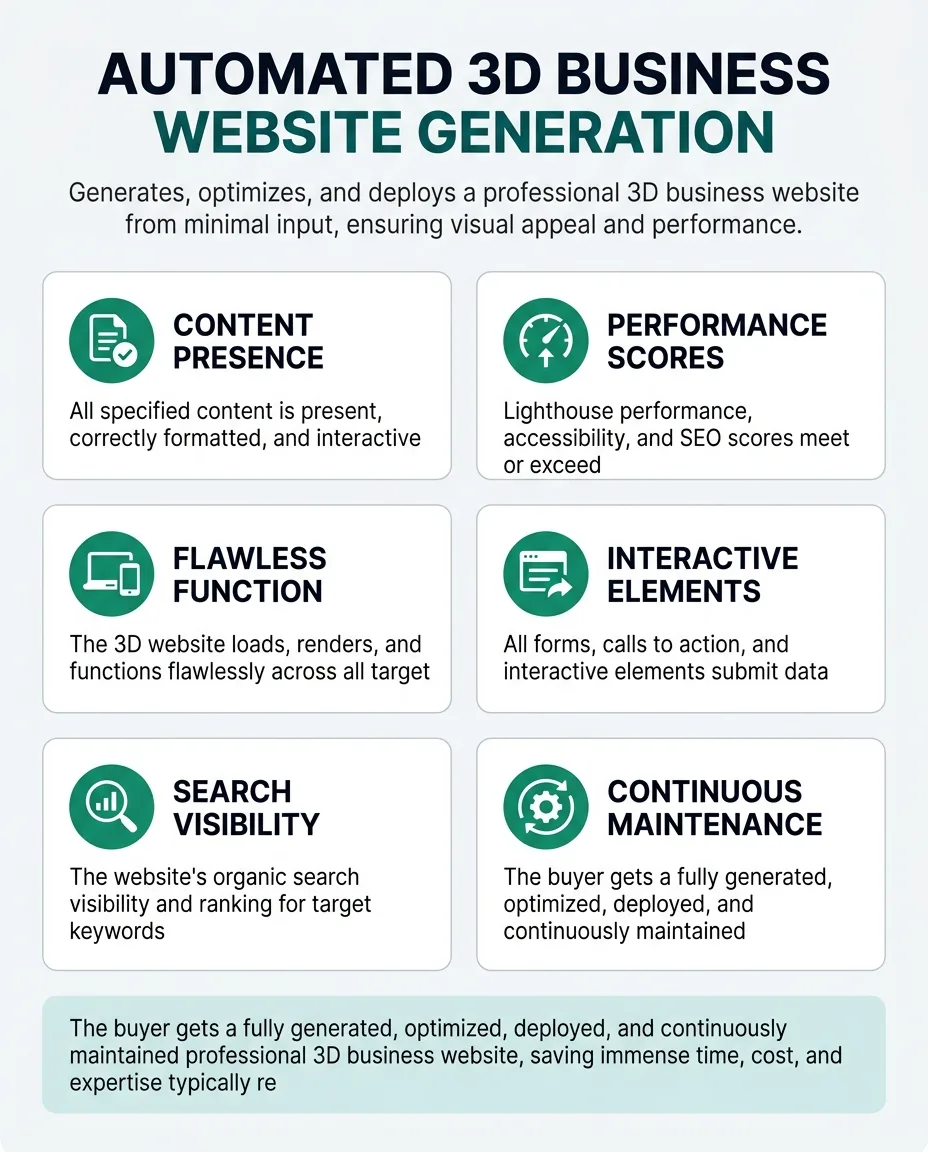
This skill automatically discovers business details, target audience, and content from provided sources like brand guidelines or existing websites. It then produces a complete, interactive 3D website with optimized assets, engaging elements, and integrated content, ensuring a visually stunning and performant online presence. The skill verifies visual consistency, responsiveness across devices, and technical SEO compliance against industry standards and discovered requirements. It keeps the website current by monitoring source content and design changes, automatically re-generating or updating affected sections to prevent drift. This skill never invents unverified details, marking any unconfirmable information as unresolved.
What It Does
This skill automatically discovers business details, target audience, and content from provided sources like brand guidelines or existing websites. It then produces a complete, interactive 3D website with optimized assets, engaging elements, and integrated content, ensuring a visually stunning and performant online presence. The skill verifies visual consistency, responsiveness across devices, and technical SEO compliance against industry standards and discovered requirements. It keeps the website current by monitoring source content and design changes, automatically re-generating or updating affected sections to prevent drift. This skill never invents unverified details, marking any unconfirmable information as unresolved.
The Problem It Removes
Businesses face significant challenges and costs in creating visually stunning, performant, and SEO-friendly 3D websites. The manual process demands specialized design, development, and optimization skills, leading to lengthy development cycles, high expenses, and often inconsistent user experiences or poor search engine visibility. The real cost includes missed market opportunities due to slow launches, high bounce rates from poor performance, and reduced organic traffic from inadequate SEO. These issues directly impact lead generation, brand perception, and ultimately, revenue. This skill removes the recurring work of manual 3D web design, development, and continuous optimization. It automates the entire workflow from content discovery to deployment and ongoing maintenance, drastically reducing time to market and operational overhead, allowing teams to focus on strategic initiatives rather than execution.
Who It Is For
Marketing teams, small business owners, web agencies, and product managers in organizations seeking a strong online presence.
Especially valuable when:
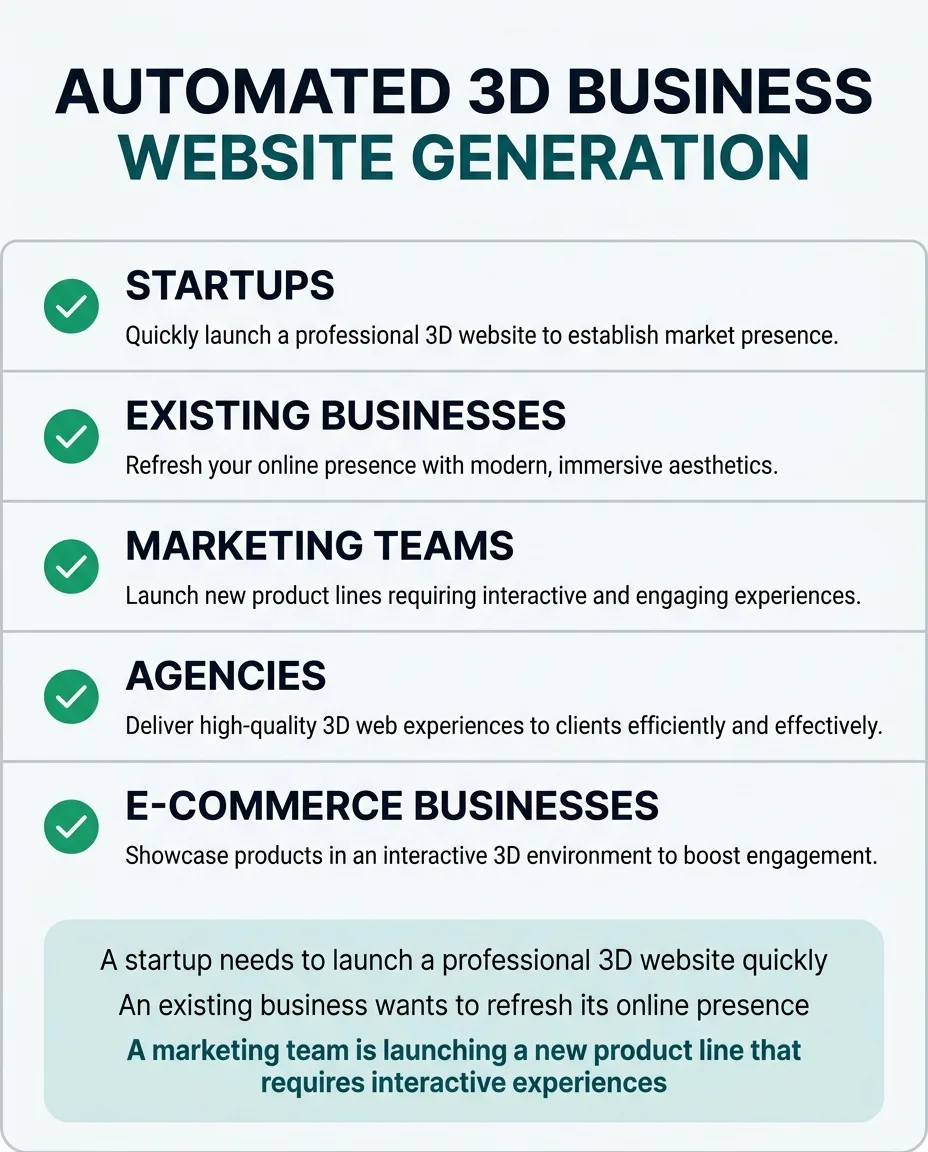
- Startups needing a quick, professional 3D website launch to establish market presence.
- Businesses refreshing their online presence with modern, immersive aesthetics to attract new customers.
- Marketing teams launching new product lines that require interactive and engaging 3D experiences.
- Agencies delivering high-quality 3D web experiences to clients efficiently and at scale.
- E-commerce businesses aiming to showcase products in an interactive 3D environment beyond static images.
- Companies aiming for improved search engine visibility through optimized 3D content and technical SEO.
- Organizations with limited design and development resources but high visual standards for their web presence.
Why This Price
Creating a professional, high-performance, and SEO-optimized 3D business website manually is a complex, time-consuming, and expensive endeavor. It requires specialized skills in 3D modeling, web development, asset optimization, and technical SEO, often involving multiple experts and weeks or months of work. This skill replaces that recurring manual effort entirely, automating the entire workflow from content discovery to deployment and continuous maintenance.
The value compounds over time as the skill not only launches the website but also monitors it for content drift, performance degradation, and security, automatically suggesting or applying updates. This prevents costly issues like outdated information, slow loading times, and poor search engine visibility, which directly impact lead generation and brand reputation.
Buyers pay for the significant reduction in development time, the elimination of specialized labor costs, and the assurance of a continuously optimized and current online presence. This skill delivers a complete, verified, and performant 3D web solution, allowing businesses to focus on their core operations rather than the intricacies of web development.
One payment, yours permanently. Download it again at any time and get later versions free.
How It Differs From Similar Skills
Existing skills like 3d-web-experience focus on building 3D experiences or components, but do not cover the full lifecycle of business website generation, content integration, SEO optimization, and continuous maintenance. frontend-design focuses on 2D frontend interfaces with intentional aesthetics, not comprehensive 3D web solutions. This skill performs the operational job of creating a complete, optimized, and maintained 3D business website, integrating content and SEO from the ground up, rather than just providing tools or templates for parts of the process.
When To Use
- A startup needs to launch a professional 3D website quickly to establish market presence.
- An existing business wants to refresh its online presence with modern, immersive 3D aesthetics to attract new customers.
- A marketing team is launching a new product line that requires an interactive and engaging 3D web experience.
- An e-commerce business seeks to showcase products in an interactive 3D environment beyond static images.
- A web agency needs to deliver high-quality 3D web experiences to clients efficiently and at scale.
Inputs
Business name: The official name of the business.
Primary objective: The main goal for the website (e.g., lead generation, product showcase, brand awareness).
Content access: Access details (e.g., URL, API key, repository path) for existing brand guidelines, content repositories, or current websites.
Outputs
Deployed Website URL: The live URL of the generated and deployed 3D business website.
Deployment Report: A summary of the deployment process, including verification check results, performance scores, and any unresolved issues.
Monitoring Configuration: Details of the continuous monitoring setup for content drift and performance.
How It Works From Start To Finish
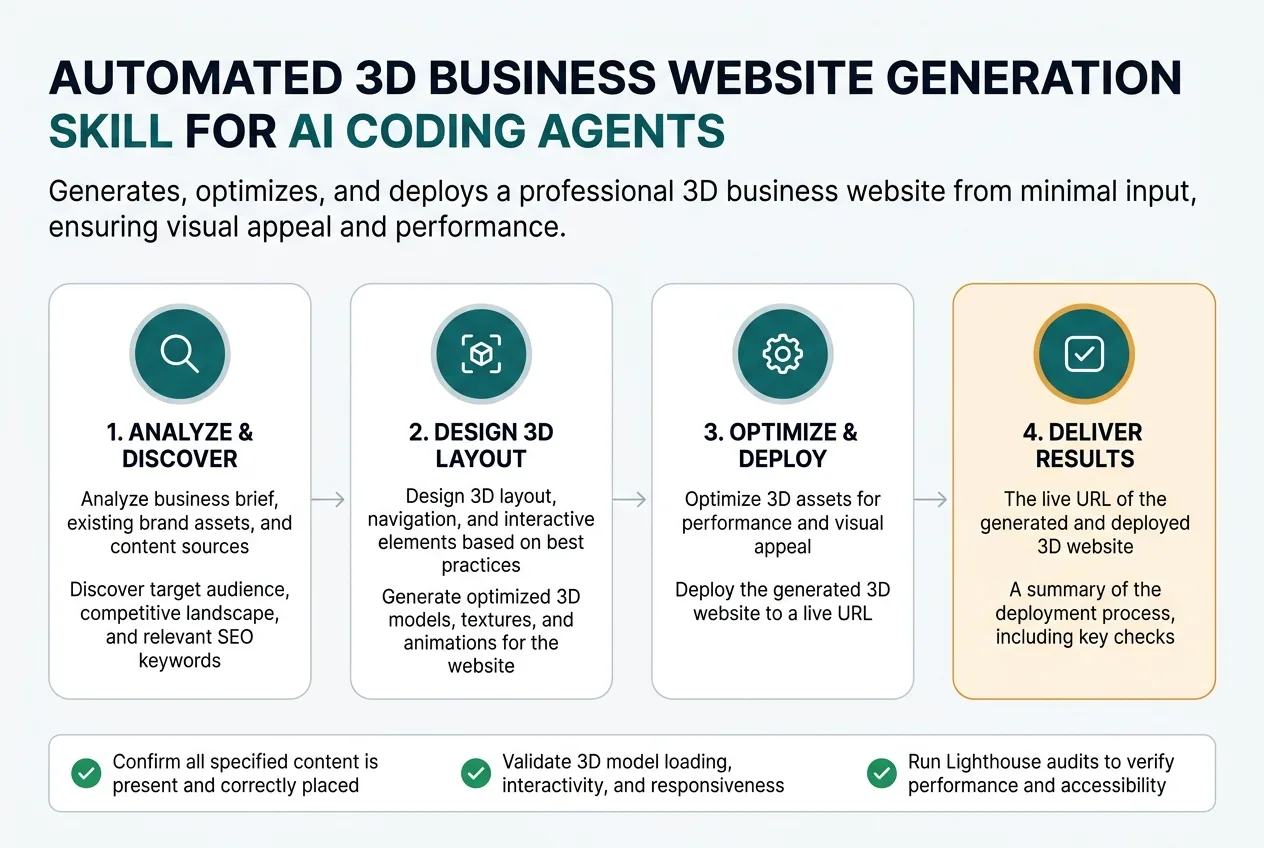
- Analyze business brief, existing brand assets, and content sources.
- Discover target audience, competitive landscape, and relevant SEO keywords.
- Design 3D layout, navigation, and interactive elements based on best practices.
- Generate optimized 3D models, textures, and animations for the website.
- Integrate all discovered content, calls to action, and interactive forms.
- Optimize 3D assets and code for web performance and loading speed.
- Implement technical SEO, schema markup, and accessibility features.
- Verify visual consistency, responsiveness, and cross-browser compatibility.
- Run comprehensive performance audits and SEO compliance checks.
- Deploy the fully optimized 3D business website to a specified hosting environment.
- Monitor for content drift, performance degradation, and security vulnerabilities.
- Suggest improvements and open pull requests for continuous updates and enhancements.
What you supply
- Business name
- Primary objective
- Access to existing brand guidelines or content repository
What it finds out on its own
- Business domain and industry
- Target audience demographics and psychographics
- Existing content (text, images, videos, testimonials)
- Brand guidelines (colors, fonts, logos, tone of voice)
- Competitor websites and their 3D presence (if any)
- Relevant SEO keywords and search intent
- Hosting environment configuration and deployment credentials
Step By Step
-
Analyze Business Requirements
Read and parse the business brief, existing brand assets, and content sources.
Done when: All provided inputs (business name, primary objective, content access) are parsed, and initial brand guidelines and content sources are identified.
If it cannot finish: Report parsing errors for specific inputs and request clarification or correction from the user.
-
Discover Contextual Information
Automatically identify business domain, industry, target audience, competitive landscape, existing content, relevant SEO keywords, and hosting environment configuration.
Done when: A comprehensive profile of the business context, target audience, and technical environment is compiled, with any unverified details marked.
If it cannot finish: Report any critical information that could not be discovered (e.g., inaccessible content repository) and prompt the user for manual input or access.
-
Design 3D Layout and Elements
Generate a conceptual 3D layout, navigation structure, and interactive elements based on discovered brand guidelines, target audience, and best practices for immersive web experiences.
Done when: A detailed 3D site structure and design blueprint, including wireframes for key interactive components, is created and internally approved.
If it cannot finish: Flag design conflicts with brand guidelines or technical constraints and present alternative design options for review.
-
Generate and Optimize 3D Assets
Create optimized 3D models, textures, and animations, compressing them to web-friendly formats (e.g., glTF) while adhering to performance budgets.
Done when: All required 3D assets are generated, optimized for web performance, and stored in a temporary asset library, passing initial performance budget checks.
If it cannot finish: Report specific asset generation or optimization failures, detailing the asset and reason, and attempt re-generation with adjusted parameters or suggest manual intervention.
-
Integrate Content and Functionality
Embed all discovered text, images, videos, calls to action, and interactive forms into the generated 3D website structure.
Done when: All content elements are integrated into the 3D website, and interactive forms and CTAs are linked to their respective backend services.
If it cannot finish: Identify specific content elements that failed integration or forms that could not be linked, marking them as unresolved and providing details.
-
Implement Technical SEO and Accessibility
Apply technical SEO best practices, including schema markup for 3D content, meta titles, descriptions, and accessible fallbacks, along with general accessibility features.
Done when: The website's code includes all necessary schema markup, meta tags, and ARIA attributes, and an initial accessibility audit passes.
If it cannot finish: Report specific SEO or accessibility implementation failures and suggest manual review or alternative implementation strategies.
-
Verify Website Quality and Performance
Run comprehensive checks for visual consistency, responsiveness across devices, cross-browser compatibility, Lighthouse audits for performance, accessibility, and SEO, and functional tests for interactive elements.
Done when: All verification checks pass, and the website meets predefined quality and performance thresholds.
If it cannot finish: Detail all failed verification checks, providing specific errors and locations, and initiate a remediation process or flag for manual review.
-
Deploy 3D Business Website
Deploy the fully optimized 3D business website to the specified hosting environment using provided credentials.
Done when: The website is live and accessible at the target domain, and a final smoke test confirms basic functionality.
If it cannot finish: Roll back to the previous successful deployment, provide detailed error logs, and suggest a recovery path or manual deployment.
-
Monitor and Maintain Website
Establish continuous monitoring for content drift, performance degradation, broken links, and security vulnerabilities, and automatically suggest or apply updates.
Done when: Monitoring systems are active, and a baseline for content and performance is established, with automated update mechanisms configured.
If it cannot finish: Report monitoring setup failures and provide instructions for manual configuration or alternative monitoring solutions.
How It Checks Its Own Work
Checks before it delivers
- Confirm all specified content is present and correctly formatted within the 3D environment.
- Validate 3D model loading, interactivity, and responsiveness across various devices and screen sizes.
- Run Lighthouse audits to verify performance, accessibility, SEO, and adherence to best practices.
- Check for broken links, missing images, and console errors throughout the website.
- Verify schema markup, meta titles, and descriptions for SEO compliance and accuracy.
- Ensure all forms, calls to action, and interactive elements function as expected and submit data correctly.
If something goes wrong
- If 3D asset generation or optimization fails, it reports the specific asset and reason, reverting to the last stable version of the website or displaying a fallback.
- If deployment to the hosting environment fails, it rolls back to the previous successful deployment and provides detailed error logs and a recovery path.
- If content cannot be verified against its source, it marks the specific section as 'unverified' and highlights the discrepancy without inventing details, offering options for manual review.
Mistakes It Prevents
| The mistake | What it costs | How the skill prevents it |
|---|---|---|
| Generating overly complex 3D models or unoptimized textures without considering web performance budgets. | The website experiences extremely slow loading times, poor performance on lower-end devices, and high bounce rates, leading to lost traffic and conversions. | An automated asset optimization pipeline compresses textures, reduces polygon counts, and converts models to web-friendly formats (e.g., glTF) with a performance budget check (e.g., max file size, draw calls) before integration. |
| Failing to implement proper technical SEO for 3D content, such as schema markup or accessible fallbacks. | Search engines cannot effectively crawl or index the 3D content, resulting in low organic visibility and missed traffic opportunities. | A pre-deployment SEO audit verifies schema markup for 3D models, proper alt text for fallback images, and sitemap inclusion of 3D-specific URLs. |
| Deploying the 3D website without comprehensive cross-device responsiveness testing for layouts and interactions. | The 3D experience breaks or becomes unusable on mobile devices or different screen sizes, alienating a significant portion of the audience and damaging brand perception. | Automated responsive design tests simulate various viewport sizes and device types, ensuring 3D layouts and interactions adapt correctly before final deployment. |
| Allowing content drift between the source repository (e.g., CMS, brand guidelines) and the deployed website without automatic updates. | The website displays outdated or incorrect information, damaging credibility and potentially misleading customers, leading to manual, reactive fixes. | A continuous monitoring system periodically compares deployed website content against its defined source and flags discrepancies for automatic update or manual review, opening pull requests for changes. |
| Inconsistent application of brand identity across generated 3D assets, integrated 2D elements, and overall site design. | The website appears unprofessional and disjointed, eroding brand trust and user experience due to a lack of visual cohesion. | A visual consistency audit compares generated 3D elements and integrated 2D content against established brand guidelines (colors, fonts, logos, tone of voice) before deployment. |
| Not verifying the functionality of interactive forms, calls to action, or navigation within the 3D environment. | Users cannot submit inquiries, complete desired actions, or navigate effectively, leading to lost leads, frustrated users, and a direct impact on business objectives. | End-to-end functional tests for all interactive elements, including form submissions, CTA clicks, and navigation paths, verify data is correctly processed and stored and user flows are uninterrupted. |
Edge Cases It Handles
- Generating overly complex 3D models or unoptimized textures without considering web performance budgets.
- An automated asset optimization pipeline compresses textures, reduces polygon counts, and converts models to web-friendly formats (e.g., glTF) with a performance budget check (e.g., max file size, draw calls) before integration.
- Failing to implement proper technical SEO for 3D content, such as schema markup or accessible fallbacks.
- A pre-deployment SEO audit verifies schema markup for 3D models, proper alt text for fallback images, and sitemap inclusion of 3D-specific URLs.
- Deploying the 3D website without comprehensive cross-device responsiveness testing for layouts and interactions.
- Automated responsive design tests simulate various viewport sizes and device types, ensuring 3D layouts and interactions adapt correctly before final deployment.
- Allowing content drift between the source repository (e.g., CMS, brand guidelines) and the deployed website without automatic updates.
- A continuous monitoring system periodically compares deployed website content against its defined source and flags discrepancies for automatic update or manual review, opening pull requests for changes.
- Inconsistent application of brand identity across generated 3D assets, integrated 2D elements, and overall site design.
- A visual consistency audit compares generated 3D elements and integrated 2D content against established brand guidelines (colors, fonts, logos, tone of voice) before deployment.
- Not verifying the functionality of interactive forms, calls to action, or navigation within the 3D environment.
- End-to-end functional tests for all interactive elements, including form submissions, CTA clicks, and navigation paths, verify data is correctly processed and stored and user flows are uninterrupted.
- Incomplete or ambiguous brand guidelines provided by the user.
- The skill will use default best practices for web design and clearly mark any design decisions made due to missing guidelines as 'unresolved' for user review.
- Hosting environment credentials are invalid or lack necessary permissions for deployment.
- The deployment step will fail safely, roll back any partial changes, and report the exact permission error, providing a recovery path and requesting updated credentials.
A Worked Example
A new tech startup, 'Aether Dynamics', needs a modern 3D website to showcase their innovative drone technology. They have a basic brand guide PDF and product descriptions in a Google Drive folder.
Input
Business name: Aether Dynamics, Primary objective: Showcase drone products and capture early adopter leads, Content access: https://drive.google.com/drive/folders/aether-dynamics-content, https://aetherdynamics.com/brand-guide.pdfExpected output
A fully functional 3D website deployed at https://aetherdynamics.com (or a staging URL if specified), featuring interactive 3D models of drones, product specifications, a lead capture form, and a blog section. The website will achieve Lighthouse scores above 90 for performance, accessibility, and SEO, and a detailed deployment report will confirm all verification checks passed.Why this output: The skill processes the provided business name, objective, and content access. It discovers product details, brand colors, and target audience from the Google Drive and PDF. It then designs and generates a 3D website with optimized drone models, integrates product descriptions and a lead form, applies SEO, verifies performance and responsiveness, and deploys it. The output reflects a complete, verified, and performant 3D web presence aligned with the startup's goals.
Keeping It Current And Knowing Its Limits
Keeping it current
Monitors the deployed website for performance degradation, broken links, and content drift from source materials. It automatically suggests or applies updates to maintain optimal performance and accuracy, opening pull requests for human review and approval.
What it will not do
- Will not invent business strategies, marketing copy, or brand identity; it uses provided or discovered content and guidelines.
- Cannot guarantee specific conversion rates or sales increases, as these depend on external market factors and business offerings.
- Requires necessary access permissions to content repositories, hosting environments, and domain management systems.
- Never invents unverified details; any information that cannot be confirmed from reliable sources is explicitly marked as unresolved.
Limitations
Installation
Configure in API settingsAdd to Copilot workspace settingsAdd to .cursor/skills/Add to .vscode/skills/Add to Cline skills directoryConfigure in .aider.conf.ymlAdd to Windsurf skillsAdd to ~/.gemini/skills/Register as MCP toolBefore You Run It
Security notes
- This skill requires access to your content repositories (e.g., CMS, cloud storage) and hosting environment credentials for deployment and monitoring. Ensure these credentials are provided securely and have the minimum necessary permissions.
- The skill performs automated updates and deployments. While safeguards are in place, always review generated pull requests or deployment reports to prevent unintended changes to your live website.
- Exercise caution when providing access to sensitive data. The skill is designed not to invent details, but the scope of its access should be carefully considered.
Questions People Ask
How does this skill ensure my 3D website performs well?
The skill includes an automated asset optimization pipeline that compresses textures, reduces polygon counts, and converts models to web-friendly formats like glTF. It also runs comprehensive Lighthouse audits and applies performance best practices to ensure fast loading times and smooth interactions.
Can this skill integrate with my existing content and brand guidelines?
Yes, the skill is designed to discover and integrate content from various sources, including existing brand guidelines, content repositories, and current websites. You provide access details, and it ensures visual consistency and accurate content integration.
What happens if the deployment fails or there are issues with the generated website?
The skill has robust failure handling. If deployment fails, it rolls back to the previous stable version and provides detailed error logs. For website quality issues, it reports specific errors, attempts remediation, or flags unresolved items for your review, never inventing unverified details.
How does the skill keep my website updated after deployment?
A continuous monitoring system is established post-deployment. It periodically compares the live website content against its source, checks for performance degradation, and identifies security vulnerabilities. It then automatically suggests or applies updates, often by opening pull requests for your review.
Does this skill invent marketing copy or business strategies?
No, the skill strictly adheres to provided or discovered content and brand guidelines. It will not invent business strategies, marketing copy, or brand identity. Any information that cannot be confirmed from reliable sources is explicitly marked as unresolved.
What people say, and where to get help
No ratings yet. If you have used this skill, yours would be the first.
Sign in to leave a rating
An account keeps your review with your name on it, and lets you edit it later. Sign in or create one free.
No reviews yet
This skill has not been rated. If you have run it, a short note about what you used it for helps the next person more than any description can.
Related Skills You May Like
Discover more AI agent skills in the same category to enhance your workflow automation.
Premium skill
$97.00 , one time purchase
Verified skill
Builds, optimizes, and integrates interactive 3D product showcases into e-commerce platforms, enhancing customer engagement and product understanding.
Builds immersive scroll-driven experiences like parallax storytelling and scroll animations for engaging web experiences.
Premium skill
$49.99 , one time purchase
You get a robust, verified system of AI-specific UX metrics, enabling data-driven optimization and understanding of user interaction with AI features.
Display HTML content on connected OpenClaw nodes (Mac, iOS, Android) for games, visualizations, dashboards, and interactive demos.
Create distinctive, production-grade frontend interfaces with intentional aesthetics, high craft, and a non-generic visual identity.
Have a Skill to Share?
Join the community and help AI agents learn new capabilities. Submit your skill and reach thousands of developers.