Images of Intelligent Meeting Agenda Generation and Distribution
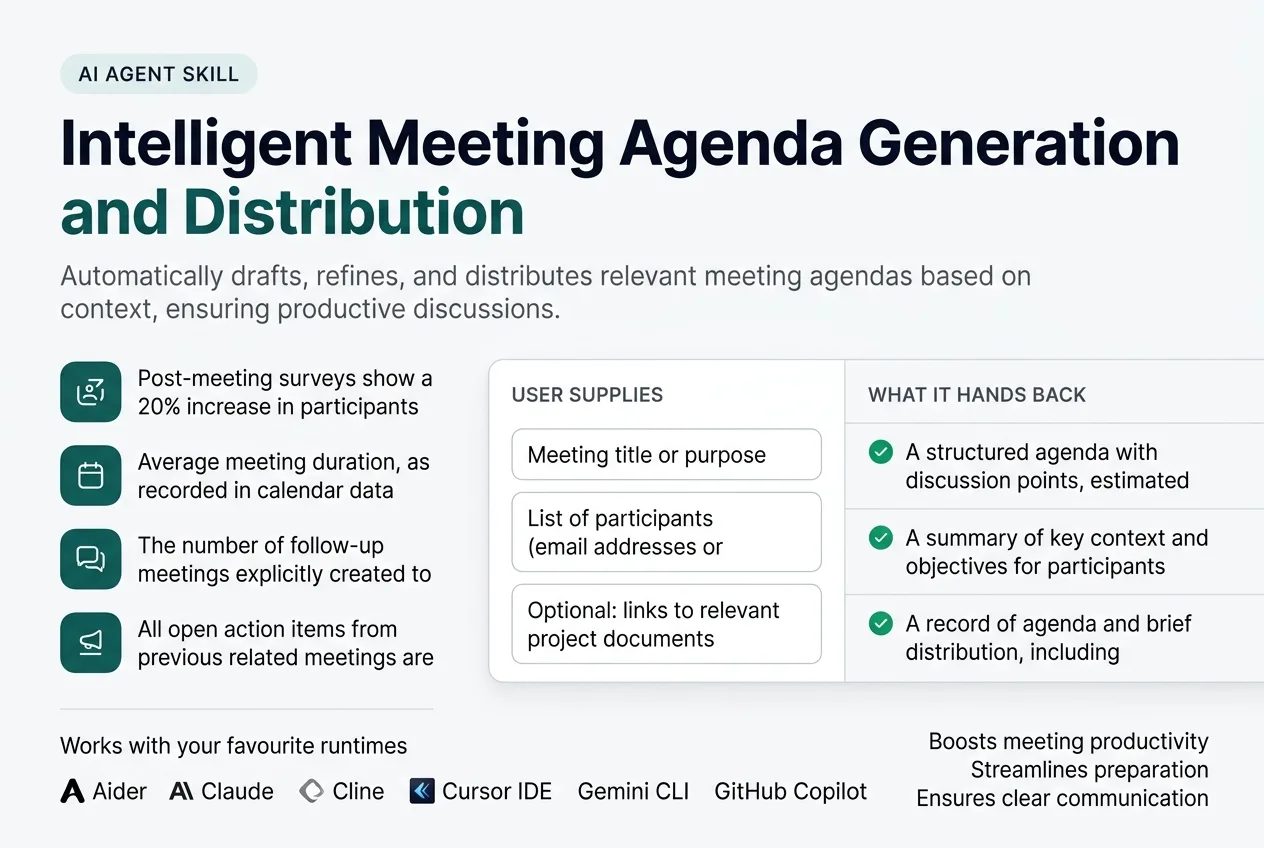
Featured imageThe one image that represents the skill in the gallery and in a social share.
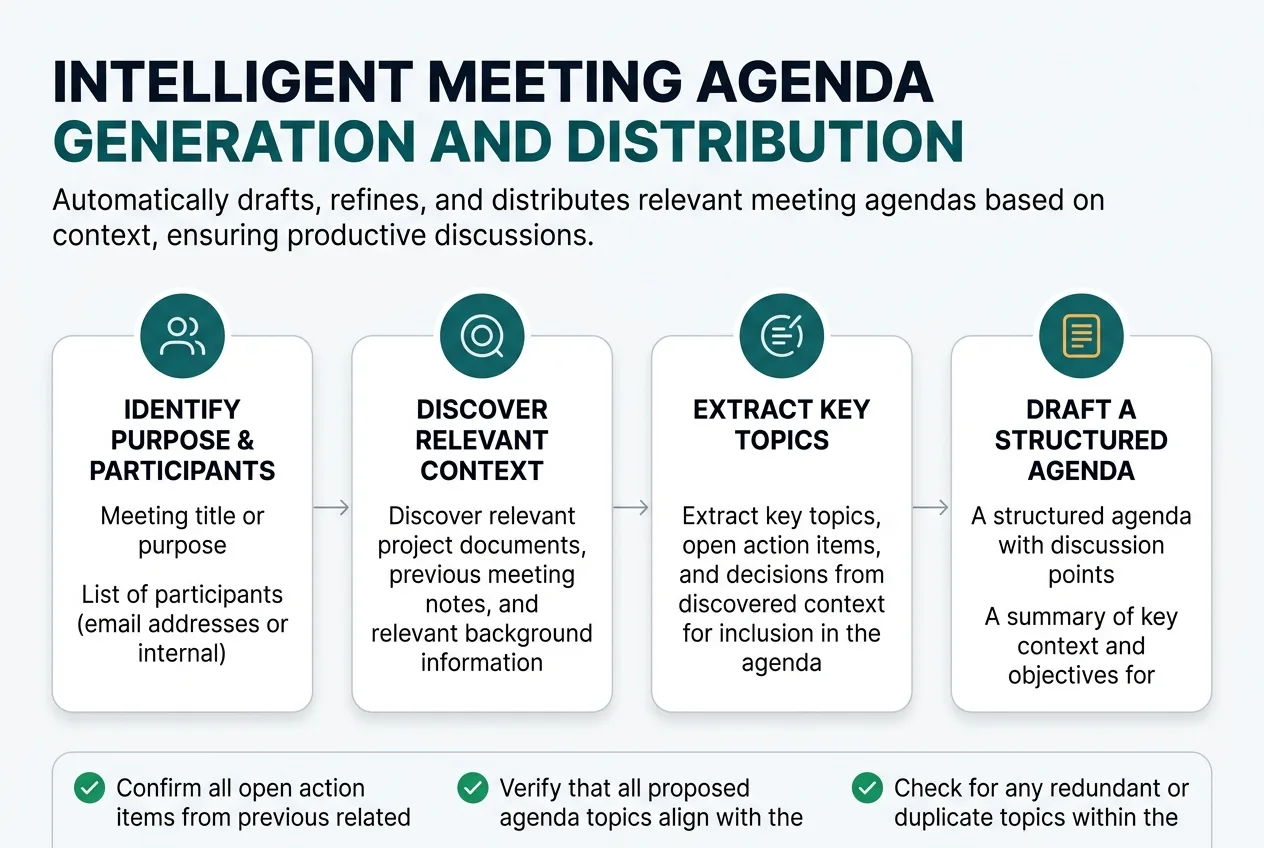
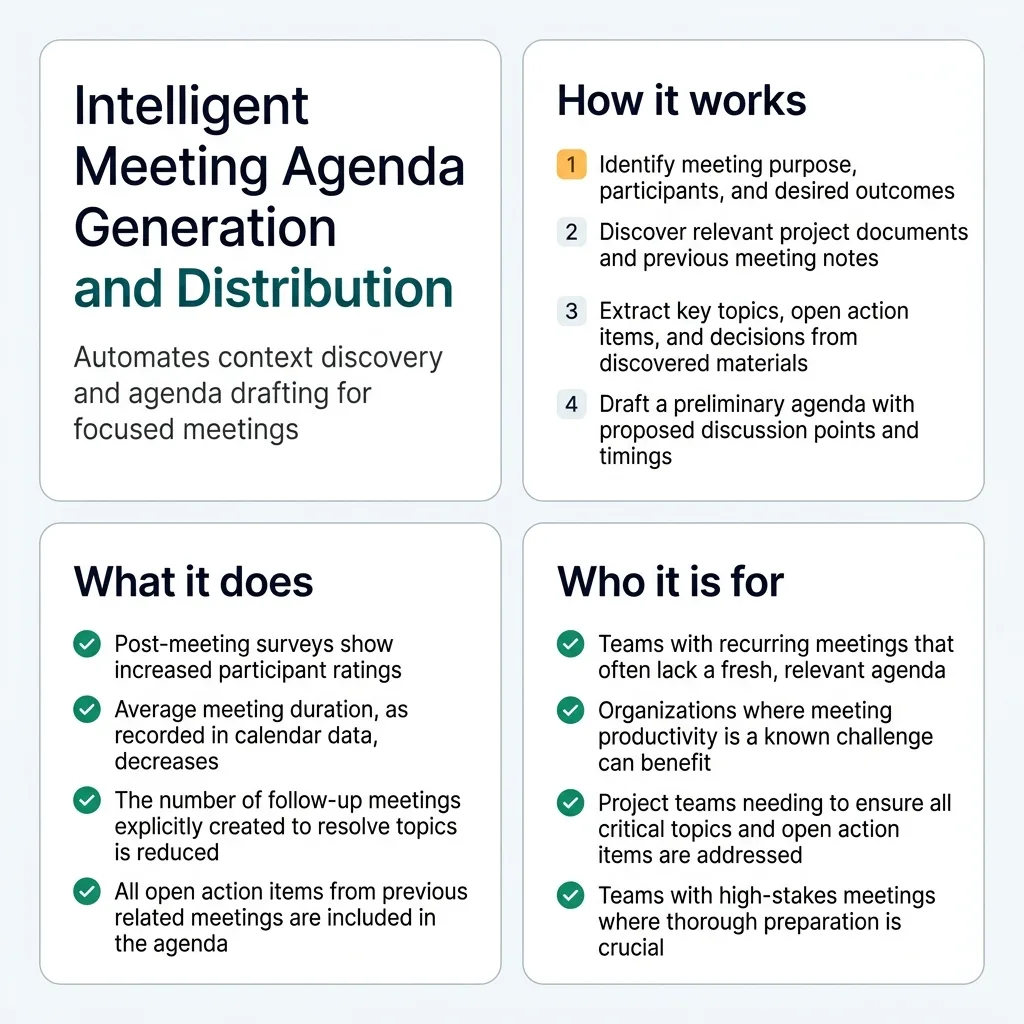
How it worksShows the path from what the user supplies to what they get back.
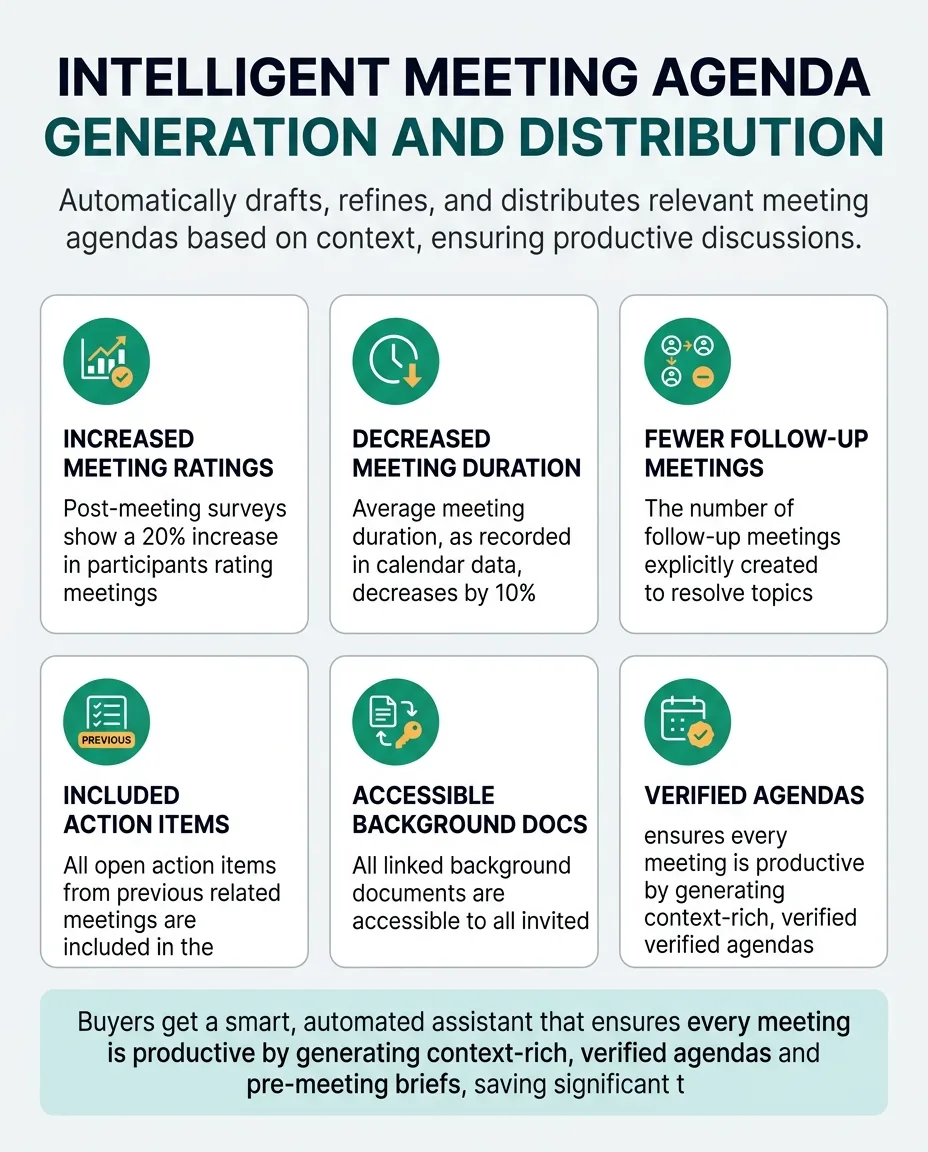
What it doesThe capability grid, for a reader scanning rather than reading.
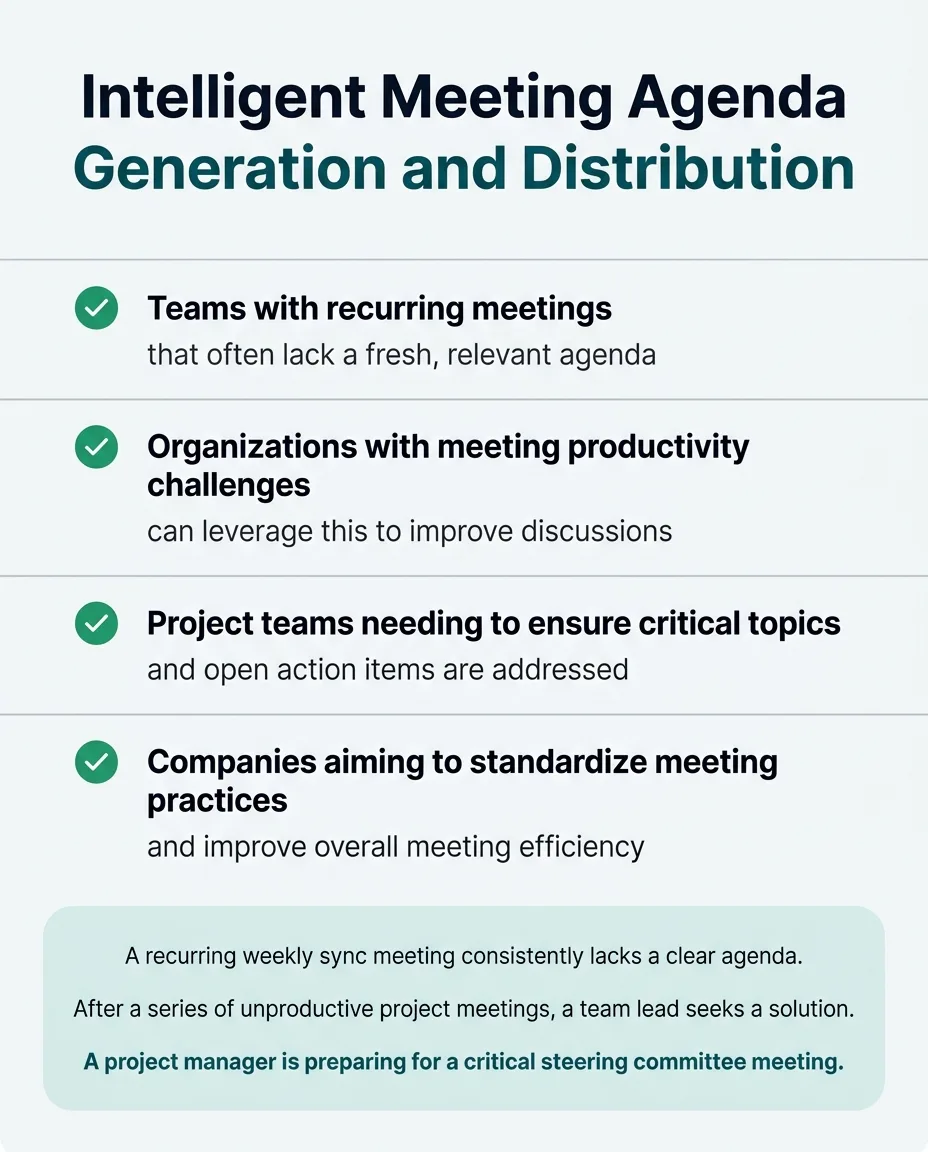
Who it is forLets a reader recognise themselves, which is what decides whether they keep reading.
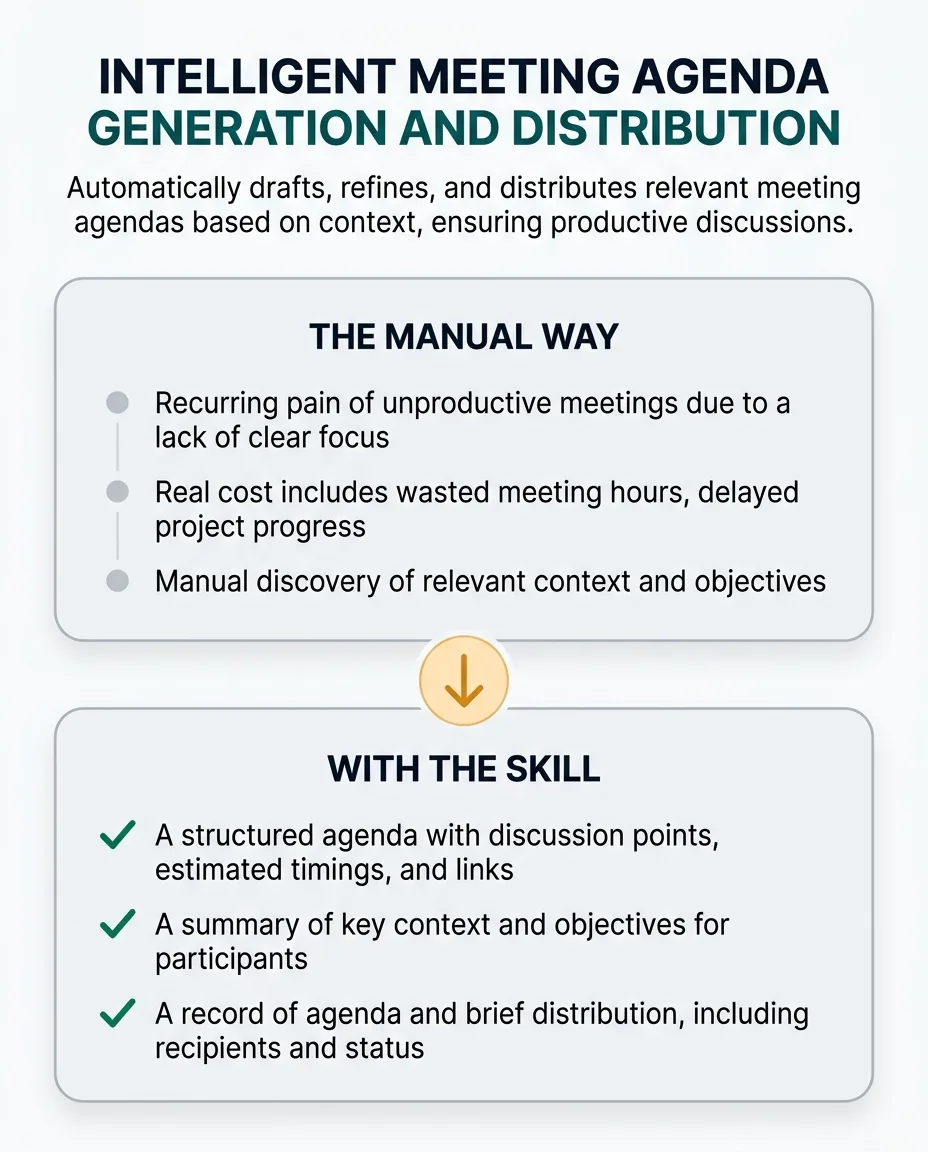
The change it makesContrasts the manual way with the skill, without claiming a measured result.
Summary sheetOne square image that carries the whole story, for a social share or a card.
1 of 6
This skill discovers meeting context by analyzing previous meeting notes, project documentation, email threads, and participant roles. It identifies key topics, open action items, and relevant decisions from past discussions. The skill produces a structured meeting agenda, complete with proposed discussion points, estimated timings, and links to relevant background documents. It can also draft pre-meeting briefs for participants. It verifies the agenda's relevance by cross-referencing against the stated meeting objective and participant list. It checks for completeness by ensuring all open action items from previous meetings are included if relevant. The skill keeps the agenda current by detecting changes in project status or new critical issues that arise before the meeting. It can suggest updates to the agenda or flag items that require immediate attention.
This skill discovers meeting context by analyzing previous meeting notes, project documentation, email threads, and participant roles. It identifies key topics, open action items, and relevant decisions from past discussions. The skill produces a structured meeting agenda, complete with proposed discussion points, estimated timings, and links to relevant background documents. It can also draft pre-meeting briefs for participants. It verifies the agenda's relevance by cross-referencing against the stated meeting objective and participant list. It checks for completeness by ensuring all open action items from previous meetings are included if relevant. The skill keeps the agenda current by detecting changes in project status or new critical issues that arise before the meeting. It can suggest updates to the agenda or flag items that require immediate attention.
The Problem It Removes
The recurring pain of unproductive meetings due to a lack of clear objectives and poorly prepared agendas wastes valuable time for all attendees. Manual agenda creation is often rushed, leading to unfocused discussions and missed outcomes.
The real cost includes wasted meeting hours, delayed project progress from unclear decisions, and the frustration of participants who feel their time is not respected. Poor agendas can lead to re-meetings or a lack of accountability for action items.
This skill removes that work by automating the discovery of relevant context and the drafting of a comprehensive, verified agenda. It ensures meetings start with a clear purpose and all necessary information, allowing teams to focus on discussion and decision-making.
Who It Is For
Team Leads, Project Managers, Meeting Facilitators, and Executive Assistants in any organization that conducts regular meetings.
Especially valuable when:
Teams with recurring meetings that often lack a fresh, relevant agenda will find this skill highly beneficial.
Organizations where meeting productivity is a known challenge can leverage this to standardize and improve efficiency.
Project teams needing to ensure all critical topics and open action items are covered will benefit from its comprehensive approach.
Teams with high-stakes meetings where thorough preparation is crucial will appreciate the verified and context-rich agendas.
Companies aiming to standardize meeting practices and improve overall efficiency across departments will see significant value.
Teams that struggle with participants coming unprepared to meetings will find the pre-meeting briefs invaluable.
Organizations that want to reduce the administrative burden of meeting preparation for their staff will save considerable time.
Why This Price
Unproductive meetings are a significant drain on organizational resources, costing businesses billions annually in wasted time and delayed decisions. Manually preparing a comprehensive, context-rich agenda is a time-consuming task that often falls short, leading to unfocused discussions and missed action items.
This skill replaces hours of recurring manual work involved in sifting through documents, tracking action items, and drafting agendas. Its value compounds over time by consistently ensuring meetings are productive, leading to faster decision-making, improved project velocity, and higher team morale.
Buyers pay for the intelligence that automates complex context discovery, verifies relevance, and proactively keeps agendas current. This goes beyond simple text generation; it's about embedding a smart, vigilant assistant into your workflow that ensures every meeting starts with clarity and purpose, preventing costly inefficiencies and fostering a culture of preparedness.
One payment, yours permanently. Download it again at any time and get later versions free.
This skill performs the operational job of intelligent, context-aware agenda creation and distribution, ensuring every meeting starts with a relevant, verified, and well-structured agenda, which is distinct from scheduling or general documentation.
When To Use
- A recurring weekly sync meeting consistently lacks a clear agenda, leading to unfocused discussions and wasted time.
- After a series of unproductive project meetings, a team lead needs to improve meeting preparation and focus.
- A project manager is preparing for a critical steering committee meeting and must ensure all open risks and decisions are explicitly on the agenda.
- A meeting facilitator observes that attendees frequently arrive unprepared, requiring a more comprehensive pre-meeting brief.
- An executive assistant is tasked with standardizing agenda creation across departments to improve overall meeting efficiency.
Inputs
meetingTitle: The main subject or purpose of the meeting.
participants: A list of email addresses or internal IDs for meeting attendees.
meetingPurpose: A brief description of the desired outcome or objective of the meeting.
relevantDocumentLinks: Optional links to specific project documents, previous meeting notes, or communication threads.
Outputs
meetingAgenda: A structured agenda with discussion points, estimated timings, and links to background documents.
preMeetingBrief: A summary of key context and objectives for participants.
distributionLog: A record of agenda and brief distribution, including recipients and status.
How It Works From Start To Finish
1Identify meeting purpose, participants, and desired outcomes.
2Discover relevant project documents, previous meeting notes, and communication threads.
3Extract key topics, open action items, and decisions from discovered context.
4Draft a preliminary agenda with proposed discussion points and timings.
5Cross-reference agenda items against meeting objectives and participant roles for relevance.
6Solicit feedback on the drafted agenda from key stakeholders.
7Refine the agenda based on feedback and new information.
8Generate a pre-meeting brief summarizing key context for participants.
9Distribute the finalized agenda and brief to all attendees via preferred channels.
10Monitor for new critical information or changes that might impact the agenda.
11Suggest agenda updates or flag items for discussion if context changes.
12Log agenda versions and distribution for transparency.
What you supply
Meeting title or purpose.
List of participants (email addresses or internal IDs).
Optional: links to relevant project documents or previous meeting notes.
What it finds out on its own
Associated project repositories or shared drives for relevant documents.
Previous meeting minutes for open action items and decisions.
Email threads or chat logs related to the meeting topic.
Participant roles and responsibilities from company directory.
Step By Step
1Define Meeting Parameters
Collect meeting title, purpose, participants, and any optional document links from user input.
Done when: Meeting title, purpose, and participant list are recorded.
If it cannot finish: Prompt the user for missing required inputs and halt if not provided.
2Discover Contextual Information
Scan associated project repositories, shared drives, previous meeting minutes, email threads, and chat logs for information related to the meeting topic and participants.
Done when: A comprehensive list of relevant documents, notes, and communications is compiled.
If it cannot finish: Proceed with available context, clearly stating which sources could not be accessed or found.
3Extract Key Agenda Items
Analyze discovered context to identify key discussion topics, open action items, and relevant decisions from past discussions.
Done when: A preliminary list of potential agenda items, action items, and decisions is extracted.
If it cannot finish: Flag that no specific items could be extracted and suggest a human review of the discovered context.
4Draft Preliminary Agenda
Structure the extracted items into a preliminary agenda, proposing discussion points, estimated timings, and linking to relevant background documents.
Done when: A draft agenda document is generated with structured topics, timings, and links.
If it cannot finish: Generate a basic agenda template with a note that context-specific items could not be drafted.
5Verify Agenda Relevance and Completeness
Cross-reference each proposed agenda item against the stated meeting objective and participant roles; confirm all open action items from previous related meetings are included or marked resolved; check for redundant topics and document accessibility.
Done when: All agenda items are validated for relevance, completeness, and document accessibility, with any issues flagged.
If it cannot finish: Highlight all flagged issues (e.g., irrelevant topics, missing action items, inaccessible links) and prompt for human intervention.
6Refine and Finalize Agenda
Incorporate feedback from key stakeholders (if provided) and address any flagged verification issues, ensuring all proposed topics without clear contextual backing are marked as 'unverified'.
Done when: The agenda is finalized, incorporating feedback and resolving verification flags.
If it cannot finish: Present the agenda with unresolved flags and feedback, requesting explicit human decision on conflicts.
7Generate and Distribute Pre-Meeting Brief
Create a concise pre-meeting brief summarizing key context for participants and distribute the finalized agenda and brief to all attendees via their preferred communication channels.
Done when: The finalized agenda and brief are successfully distributed to all participants, and delivery confirmations are received where possible.
If it cannot finish: Notify the user of any distribution failures (e.g., invalid email addresses) and provide options for manual distribution.
8Monitor for Updates
Continuously monitor relevant project documents and communication channels for significant updates or new critical issues that arise before the meeting.
Done when: Monitoring is active, and any detected changes are logged.
If it cannot finish: Report that continuous monitoring could not be established for specified sources.
9Suggest Agenda Modifications
If significant updates are detected, suggest modifications to the agenda or flag items for immediate attention, ensuring the agenda remains current.
Done when: Suggested agenda modifications are presented to the user for review.
If it cannot finish: Log the detected changes without suggesting modifications, notifying the user that automatic suggestions failed.
How It Checks Its Own Work
Checks before it delivers
Confirm all open action items from previous related meetings are included if still relevant.
Verify that all proposed agenda topics align with the stated meeting purpose.
Check for any redundant or duplicate topics within the agenda.
Ensure all linked background documents are accessible to participants.
Validate that estimated timings for each item are reasonable and add up to the total meeting duration.
Confirm that every proposed agenda item or detail is traceable to a specific source document or communication.
If something goes wrong
If no relevant contextual documents are found, the skill will generate a standard agenda template and prompt the user to manually add topics, clearly stating the lack of discovered context.
If a proposed agenda item cannot be clearly linked to a discovered context or objective, it will be flagged for human review or removed, rather than being included without justification.
If distribution to a participant fails (e.g., invalid email), the skill will notify the user and provide options for manual distribution, not assume delivery.
If feedback on the agenda introduces conflicting priorities, the skill will highlight the conflicts and suggest a human-led prioritization discussion.
Mistakes It Prevents
The mistake
What it costs
How the skill prevents it
Including agenda topics that are not aligned with the stated meeting objective or the roles of the invited participants.
Wasted time discussing irrelevant items, loss of participant engagement, and failure to address the actual purpose of the meeting.
Cross-reference each proposed agenda item against the stated meeting objective and the roles/responsibilities of the invited participants, flagging any misalignment for human review.
Failing to include open action items from previous related meetings, leading to a lack of follow-up and accountability.
Stalled progress on tasks, repeated discussions on already decided matters, and a perception of disorganization within the team.
Systematically scan previous meeting minutes and project management tools for all open action items related to the current meeting's scope and ensure they are added to the agenda or explicitly marked as resolved.
Distributing an agenda that contains outdated information or misses critical, newly emerged issues.
Decisions made on incorrect premises, need for immediate agenda revisions during the meeting, and a loss of credibility for the meeting organizer.
Implement a pre-distribution check that re-scans relevant data sources (e.g., project dashboards, communication channels) for updates or new critical issues within a defined timeframe before the meeting, flagging potential agenda modifications.
Linking to background documents that participants do not have permission to access or that are no longer available.
Participants arrive unprepared, discussions are delayed while access issues are resolved, and frustration among attendees.
Before distribution, perform an automated check of all linked documents to verify their accessibility for all invited participants and confirm the links are valid.
Assigning unrealistic time estimates to agenda items, leading to rushed discussions or running over the allotted meeting time.
Important topics are not fully discussed, decisions are made hastily, and subsequent meetings are delayed.
Compare proposed timings against historical data for similar discussion types or against a configurable baseline, flagging items that deviate significantly for human review.
Generating agenda items or details without clear, verifiable contextual backing.
Misinformation, loss of trust in the automated system, and potentially leading to unproductive discussions based on assumptions.
Every proposed agenda item or detail must be traceable to a specific source document or communication; if a source is missing or unclear, the item must be flagged for human review or explicitly marked as 'unverified'.
Edge Cases It Handles
Including agenda topics that are not aligned with the stated meeting objective or the roles of the invited participants.
Cross-reference each proposed agenda item against the stated meeting objective and the roles/responsibilities of the invited participants, flagging any misalignment for human review.
Failing to include open action items from previous related meetings, leading to a lack of follow-up and accountability.
Systematically scan previous meeting minutes and project management tools for all open action items related to the current meeting's scope and ensure they are added to the agenda or explicitly marked as resolved.
Distributing an agenda that contains outdated information or misses critical, newly emerged issues.
Implement a pre-distribution check that re-scans relevant data sources (e.g., project dashboards, communication channels) for updates or new critical issues within a defined timeframe before the meeting, flagging potential agenda modifications.
Linking to background documents that participants do not have permission to access or that are no longer available.
Before distribution, perform an automated check of all linked documents to verify their accessibility for all invited participants and confirm the links are valid.
Assigning unrealistic time estimates to agenda items, leading to rushed discussions or running over the allotted meeting time.
Compare proposed timings against historical data for similar discussion types or against a configurable baseline, flagging items that deviate significantly for human review.
Generating agenda items or details without clear, verifiable contextual backing.
Every proposed agenda item or detail must be traceable to a specific source document or communication; if a source is missing or unclear, the item must be flagged for human review or explicitly marked as 'unverified'.
A Worked Example
A project manager, Sarah, needs to prepare an agenda for the weekly "Phoenix Project Standup" meeting. The team has been struggling with unfocused discussions and missed follow-ups. Sarah provides the meeting title, participants, and a link to the project's Jira board.
Input
{"meetingTitle": "Phoenix Project Weekly Standup", "participants": "sarah.pm@example.com, david.dev@example.com, emily.qa@example.com, mark.ux@example.com", "meetingPurpose": "Review current sprint progress, address blockers, and confirm next steps for Phoenix Project.", "relevantDocumentLinks": "https://jira.example.com/browse/PHOENIX"}
Expected output
{"meetingAgenda": "| Time | Topic | Owner | Background |\n|---|---|---|---|\n| 09:00-09:05 | Sprint 3 Progress Update | David | Jira Sprint Board |\n| 09:05-09:15 | Blockers & Dependencies | All | Jira Issues PHOENIX-123, PHOENIX-125 |\n| 09:15-09:20 | UX Feedback on New Feature | Mark | Confluence Page 'Phoenix UX Review' |\n| 09:20-09:25 | QA Testing Status | Emily | TestRail Report 'Sprint 3' |\n| 09:25-09:30 | Open Action Item: Database Schema Review | David | Previous Meeting Minutes (2023-10-23) |\n| 09:30-09:35 | Next Steps & Action Items | Sarah | |\n", "preMeetingBrief": "Subject: Phoenix Project Weekly Standup - Agenda & Brief\n\nHi Team,\n\nPlease find the agenda for our weekly standup below. This week, we will focus on reviewing Sprint 3 progress, addressing any blockers, and confirming next steps. \n\nKey items to prepare for:\n- **David**: Be ready to discuss Sprint 3 progress and the status of PHOENIX-123 and PHOENIX-125.\n- **Mark**: Please provide an update on UX feedback for the new feature.\n- **Emily**: Share the current QA testing status.\n- **All**: Review the open action item regarding the database schema review from last week.\n\nLooking forward to a productive discussion!\nSarah\n", "distributionLog": {"sarah.pm@example.com": "delivered", "david.dev@example.com": "delivered", "emily.qa@example.com": "delivered", "mark.ux@example.com": "delivered"}}
Why this output: The skill analyzed the Jira board for current sprint status, identified open issues (PHOENIX-123, PHOENIX-125) as blockers, and pulled an open action item from previous meeting minutes. It also found a relevant Confluence page for UX feedback. The agenda is structured with timings, owners, and links, and a brief is generated to ensure participants come prepared, directly addressing the problem of unfocused meetings and missed follow-ups.
Keeping It Current And Knowing Its Limits
Keeping it current
The skill can be configured to monitor relevant project documents or communication channels. If significant updates or new critical issues arise before a scheduled meeting, it will proactively suggest agenda modifications or flag items for discussion, ensuring the agenda remains current and relevant.
What it will not do
It will not invent discussion topics or decisions that are not verifiable from provided context.
It cannot make subjective judgments on the importance or sensitivity of a topic without explicit rules.
It requires read access to relevant project documents, calendars, and communication platforms.
It will not override human-edited agenda items without explicit confirmation.
It never invents unverified details; any proposed topics lacking clear contextual backing are flagged.
It cannot execute decisions made during the meeting; it only facilitates the discussion.
Limitations
- There are existing digital records of previous meetings, project documents, and communication threads accessible to the skill.
- Meeting objectives are generally stated or inferable from available context.
- Participants' roles and responsibilities are accessible (e.g., via a company directory or project management system).
- A system for tracking action items (e.g., project management tool, previous meeting minutes) is in place and accessible.
- The skill has necessary read access permissions to relevant project documents, calendars, and communication platforms.
This skill requires read access to your project documents, calendars, and communication platforms to gather meeting context.
It will not invent discussion topics or decisions that are not verifiable from provided context.
It will not override human-edited agenda items without explicit confirmation.
All proposed agenda items or details must be traceable to a specific source document or communication; if a source is missing or unclear, the item will be flagged for human review or explicitly marked as 'unverified'.
Questions People Ask
How does this skill ensure the agenda is relevant to my specific meeting?
The skill performs deep context discovery by analyzing previous meeting notes, project documents, and communication threads. It then cross-references proposed agenda items against your stated meeting objective and participant roles to ensure high relevance.
What if I already have some agenda items in mind?
You can provide initial inputs, and the skill will integrate them while also discovering additional relevant topics. It will not override your human-edited items without explicit confirmation, ensuring your input is respected.
Is my sensitive meeting information secure when using this skill?
The skill requires read access to relevant documents to function. It is designed not to invent information and flags any unverified details. All data access is for the sole purpose of generating and distributing the agenda, adhering to strict privacy protocols.
Can this skill help with recurring meetings?
Yes, it's particularly effective for recurring meetings. It can continuously monitor relevant project documents and communication channels, proactively suggesting agenda modifications if new critical issues or updates arise before the next scheduled meeting, keeping your agenda current.
What happens if a linked document is inaccessible to some participants?
Before distribution, the skill performs an automated check of all linked documents to verify their accessibility for all invited participants. If an issue is found, it will flag the inaccessible link and suggest alternatives or removal, preventing unprepared attendees.
What people say, and where to get help
No ratings yet. If you have used this skill, yours would be the first.
Sign in to leave a rating
An account keeps your review with your name on it, and lets you edit it later.
Sign in
or create one free.
No reviews yet
This skill has not been rated. If you have run it, a short note about what you used it
for helps the next person more than any description can.
Related Skills You May Like
Discover more AI agent skills in the same category to enhance your workflow automation.
Expert in building and selling Notion templates as a sustainable digital product business, covering design, pricing, marketing, and scaling for real revenue.
Generates and continuously updates a data-driven product roadmap by prioritizing features based on market demand, customer feedback, and business impact.